2. Identification of Controls
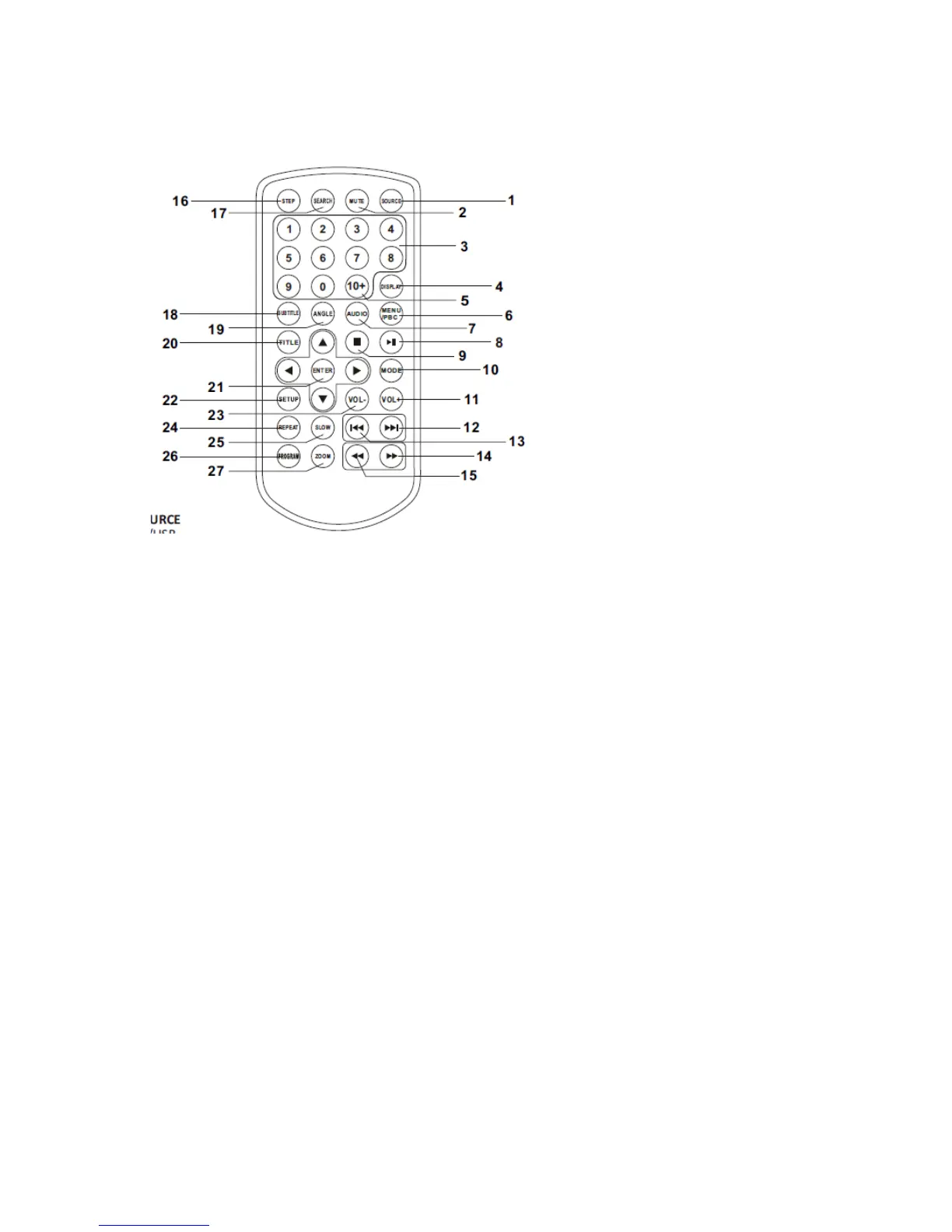
Remote control unit
1. SOURCE
DVD/USB.
2. MUTE
Disable Audio output.
3. 0-9 NUMBER BUTTON
Selects numbered items in a menu.
4. DISPLAY
To display the playtime and status information.
5. 10+ BUTTON
In order to select a track 10, for CD, press 10+ button first, then press 0 button; for DVD, press 10+
button, for DVD, select track greater than 10. For example, track 12, first press 10+, highlight bar appear
and further press 10+ and press number 2 button; select track 23, press 10+ button 3 times and press
number 3 button.
6. MENU/PBC
Return to DVD root menu (DVD).
PBC on/off switch (VCD).
7. AUDIO
DVD: Press AUDIO repeatedly during playback to hear a different audio language or audio track, if
6


 To Next Page