EasyManua.ls Logo

LENCO DVP-931 - Screen Setup Options

LENCO DVP-931
18 pages
Print Icon
To Next Page IconTo Next Page
To Previous Page IconTo Previous Page
Loading...
9
System
Setup
2.
2
S
CREE
N
S
ETUP
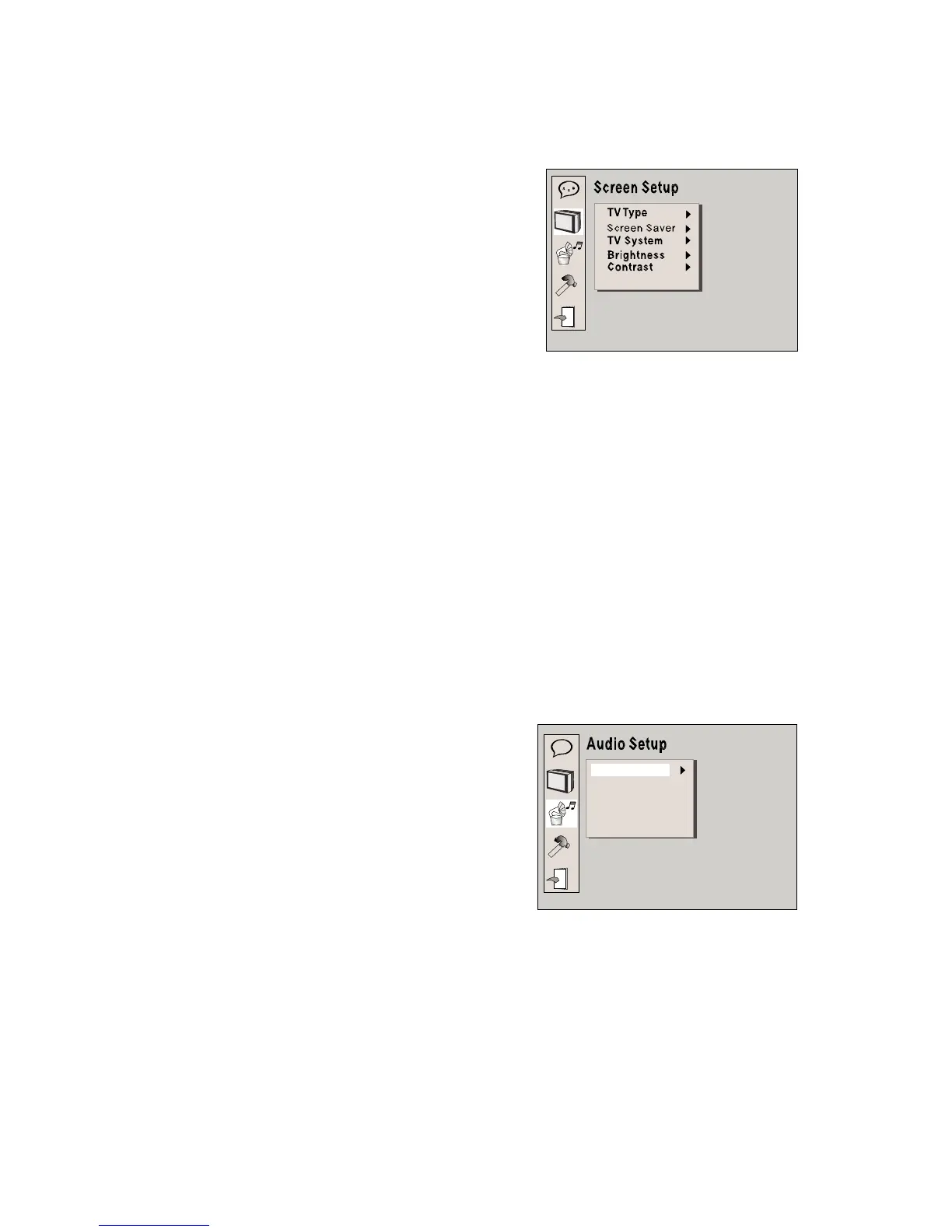
The
system
setup
options
are
illustrated
below:
2.2.1
TV
TYPE
According
to
the
TV
type,
you
can
choose
4:3PS,4:3LB
or
16:9
.
2.2.2
SCREEN
SAVER
If
the
SCREEN
SAVER
is
on.
The
player
display
DVD
logo
for
a
long
time.
DVD
player
will
show
a
lively
image
on
TV.
If
SCREEN
SAVER
is
off.
DVD
play
will
display
DVD
logo
all
the
time
when
no
disc
or
finished
play
disc.
2.2.3
TV
SYSTEM
According
to
the
Color
System
of
the
TV,
you
can
choose
the
TV
System.
2.2.4
BRIGHTNESS
According
to
the
Brightness,
you
can
choose
Normal,
Bright
or
Soft
.
2.2.5
CONTRAST
Us
e
t
h
e
U
p
an
d
Dow
n
arro
w
b
utton
s
t
o
scrol
l
a
n
d
adjus
t
t
he
c
ontrast.
2.
3
A
UDI
O
SETUP
The
audio
setup
options
are
il
lustrated
below:
A
B
C
Downmix
2.3.
1
DOWNMIX
There
are
two
modes,
one
is
LO/RO,
the
other
is
LT/RT.

Related product manuals