EasyManua.ls Logo

LENCO DVP-931 - Custom Setup Options

LENCO DVP-931
18 pages
Print Icon
To Next Page IconTo Next Page
To Previous Page IconTo Previous Page
Loading...
10
2.
4
CUS
T
O
M
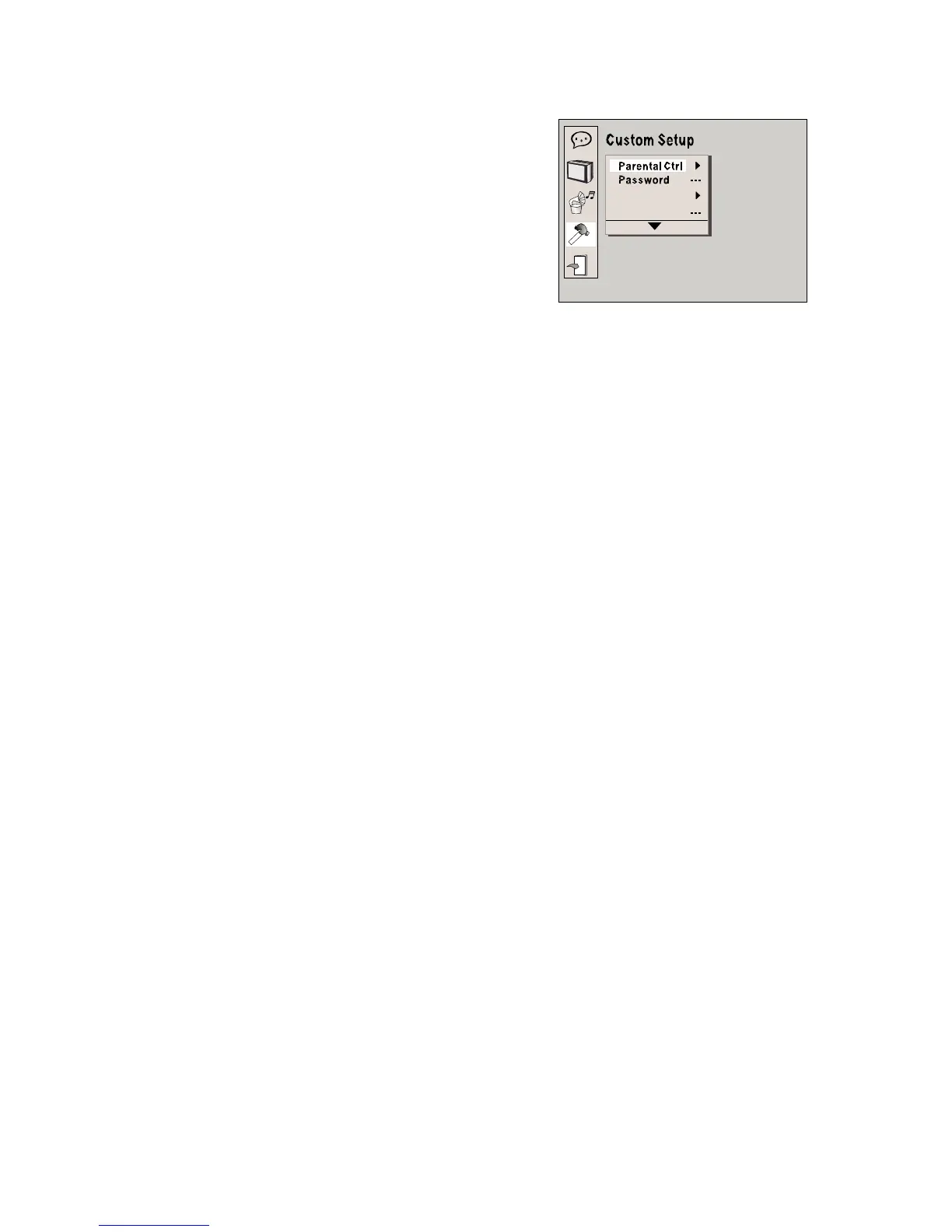
SETUP
The
custom
setup
options
are
illustrated
below:
2.4.1
PARENTAL
CTRL
Parental
Ctrl:1,2:G,3:G,4:PG13,5,6:R,
7:NC17,8
level
eight
is.
The
first
level
Style
Angle
Mark
disc
s
ar
e
availabl
e
t
o
peopl
e
o
f
al
l
age
s
an
d
onl
y
suitabl
e
fo
r
adults.
If
you
want
to
change
the
parental
ctrl
setting,
enter
the
user
s
age
control
item
and
then
enter
the
four
digit
password.
The
default
password
is
6666(if
you
are
using
this
player
for
the
first
time,
just
enter
this
code).If
the
input
code
has
been
confirmed
,
the
level
set up
menu
will
appear.
Move
the
cursor
to
choose
the
expected
level and
press
the
ENTER
button
to
confirm
and
withdraw
to
the
user setup
menu
or
press
the
setup
button
to
directly
stop
with
the operation.
Note:
Before
you
change
the
password,
please
open
the
DVD
tray
first.
2.4.2
PASSWORD
The
password
option
is
initially
locked,
and
you
can
not
set
the
ratings
limit
or
change
the
password.
In
order
for
the
Ratings
feature
to
work,
the
password
mode
must
be
turned
on.
If
you
want
to
set
the
ratings
limit,
you
will
need
to
enter
the
default
password.
Which
is
6666.
then
press
the
Enter
button
to
confirm.
To
change
the
password,
you
will
be
prompted
for
the
old
password,
then
be
prompted
for
a
new
one.
Enter
a
4-digit
number
(
this
is
your
new
password).
Put
the
PASSWORD
to
the
factory
defaults.
2.4.3
STYLE
According
to
Style,
you
can
choose
Style
1,
Style
2,Style
3
or
Style
4.

Related product manuals