11
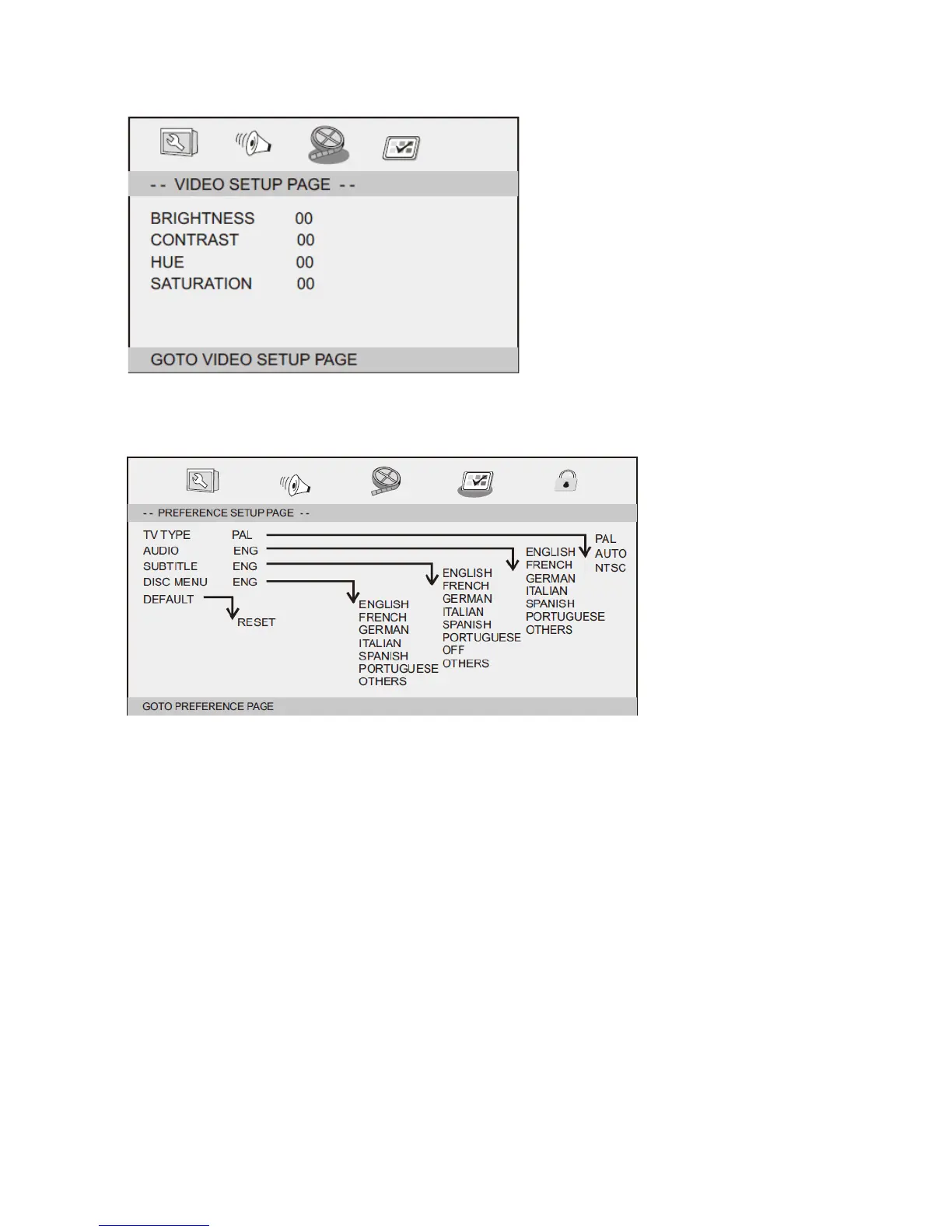
Video Setup Page
Brightness, Contrast, Hue, Saturation: setting the video quality.
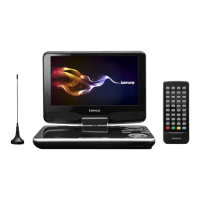
Preference Page
TV Type
Selecting the colour system that corresponds to your TV when AV outputs. This DVD Player is
compatible with both NTSC and PAL.
PAL - Select this if the connected TV is a PAL system. It will change the video signal of a NTSC disc and
output in PAL format.
NTSC-Select this if the connected TV is an NTSC system. It will change the video signal of a PAL disc
and output in NTSC format.
Auto: Change the video signal output automatically according to the playing disk format.
Audio: Selects a language for audio (if available).
Subtitle: Selects a language for subtitle (if available).
Disc Menu: Selects a language for disc menu (if available).
Default: Back to the factory setting.


 To Next Page