1. Turn on TV, Please press"OK" to
start the wizard
Menu Setup TV (When using for the first time only)
8.The OSD menus
2. Please select your language
3. Please select your country
4. Connect antenna and Press
"OK " key start channel scan
1 VIDEO MENU
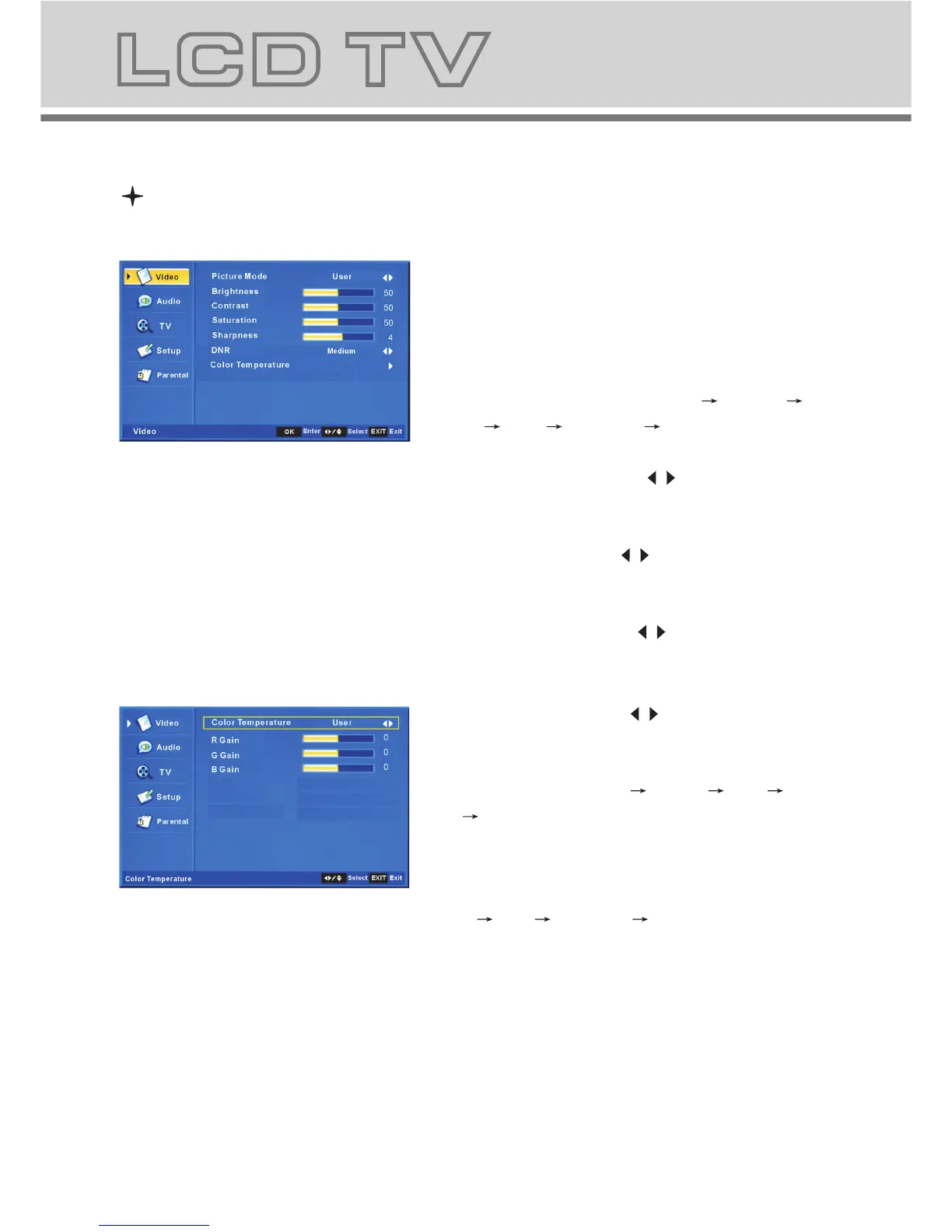
a. The following picture is the sketch map of
the video menu.
b. The definition of each option:
b-1. Picture Mode: Change the picture mode
in the sequence as: Sta nda rd Cinema
Sport Vivid Hi-Bright User
b-2. Brightness: Change the value of
brightness with the key / in the range
of 0 to 100.
b-3. Contrast: Change the value of
contrast with the key / in the range of 0
to 100.
b-4. Saturation: Change the value of
saturation with the key / in the range
of 0 to 100.
b-5. Sharpness: Change the value of
sharpness with the key / in the range of
0 to 7.
b-6. DNR: Change the DNR in the
sequence as: Medium Strong Auto
Off Low, which do not work in the
VGA/HDMI source.
b-7. Color Temperature: Change the
color temperature in the sequence as:
User Cool Standard Warm, also R Gain,
G Gain, B Gain included in each item
Menu Operation Under TV Input



 To Next Page