The Submenu of Time Setup
b-5-1. Time Zone: Change the time zone
by user.
b-5-2. Time set the time. and set power
on/off time.
The submenu of Subtitle Item.
b-6-1. Analog Subtitle: Change the
analog subtitle in the sequence as:
Off On
b-6-2. Digital Subtitle Language:
Change the subtitle language in
the sequence as: Off
English
Espanol Francais Deutsch .
b-6-3. Subtitle Type: Change the
subtitle type in the sequence as:
Normal Hearing Impaired.
Nederlands
15
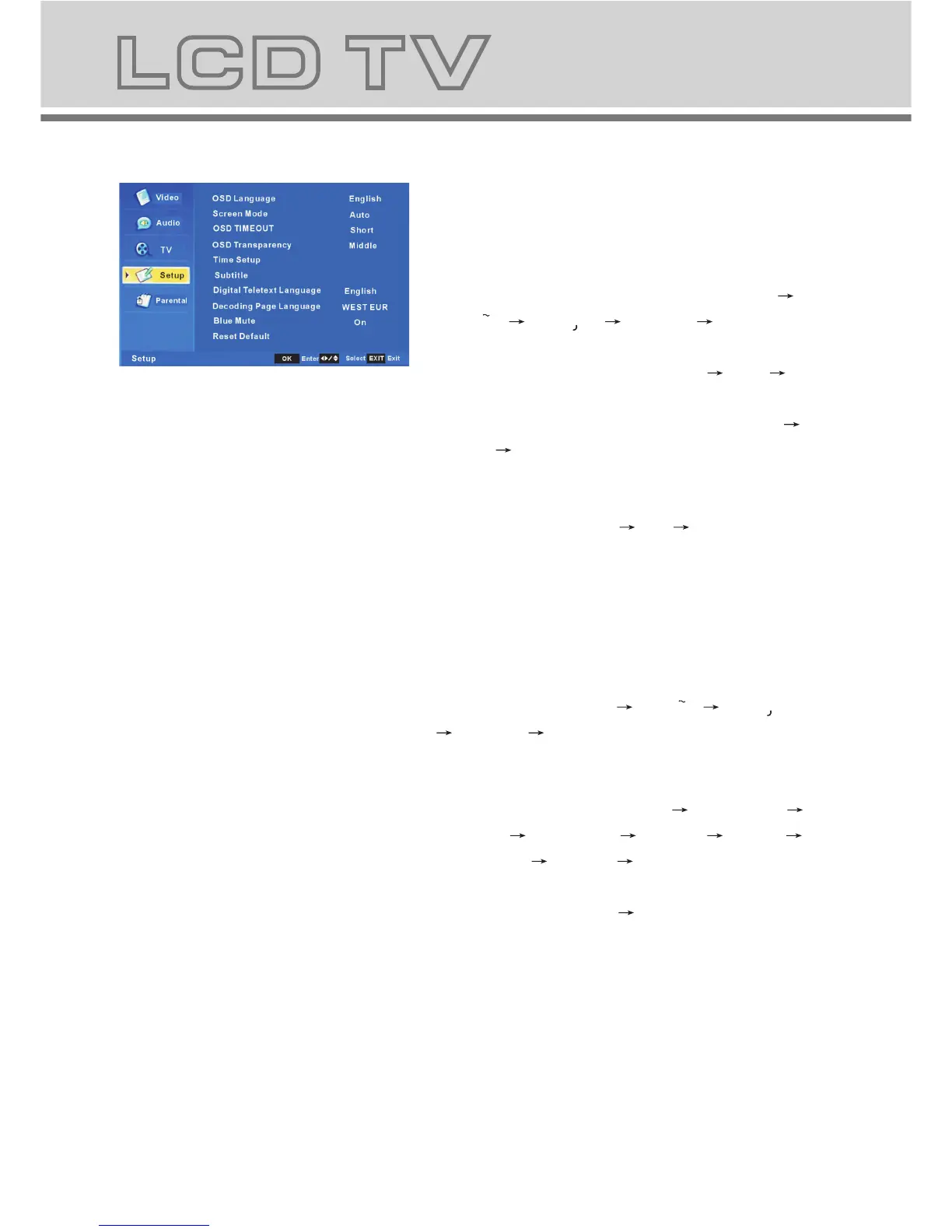
a. This menu is used to set the function
b. The definition of each option:
b-1. OSD Language: Change the OSD
language in the sequence as: English
Espanol Francais Deutsch Nederlands .
b-2. Screen Mode: Change the screen
mode in the sequence as: Auto 16:9 4:3.
b-3. OSD TIMEOUT: set the showing time
of OSD Menu in the sequence as: Short
Middle Long.
b-4. OSD Transparency: set the
transparency of the OSD Menu in the
sequence as: Middle Low Hight.
b-5. Time Setup: set the timer, you can
set the subordinate menu.
b-6. Subtitle :set the subtitle, you can set
the subordinate menu.
b-7. Digital Teletext Language: Change
the digital teletext language in the
sequence as: English Espanol Franca is
Deutsch .
b-8. Decoding Page Language: Change
the decoding page language in the
sequence as: WEST EUR EAST EUR
RUSSIA RUSSIA-2 GREEK Turkey
Arab/Hbrw Farsian Arab.
b-9. Blue Mute: Change the blue mute in
the sequence as: On Off.
b-10 . Reset Default: restore default setting.
Nederlands
4 Setup MENU



 To Next Page