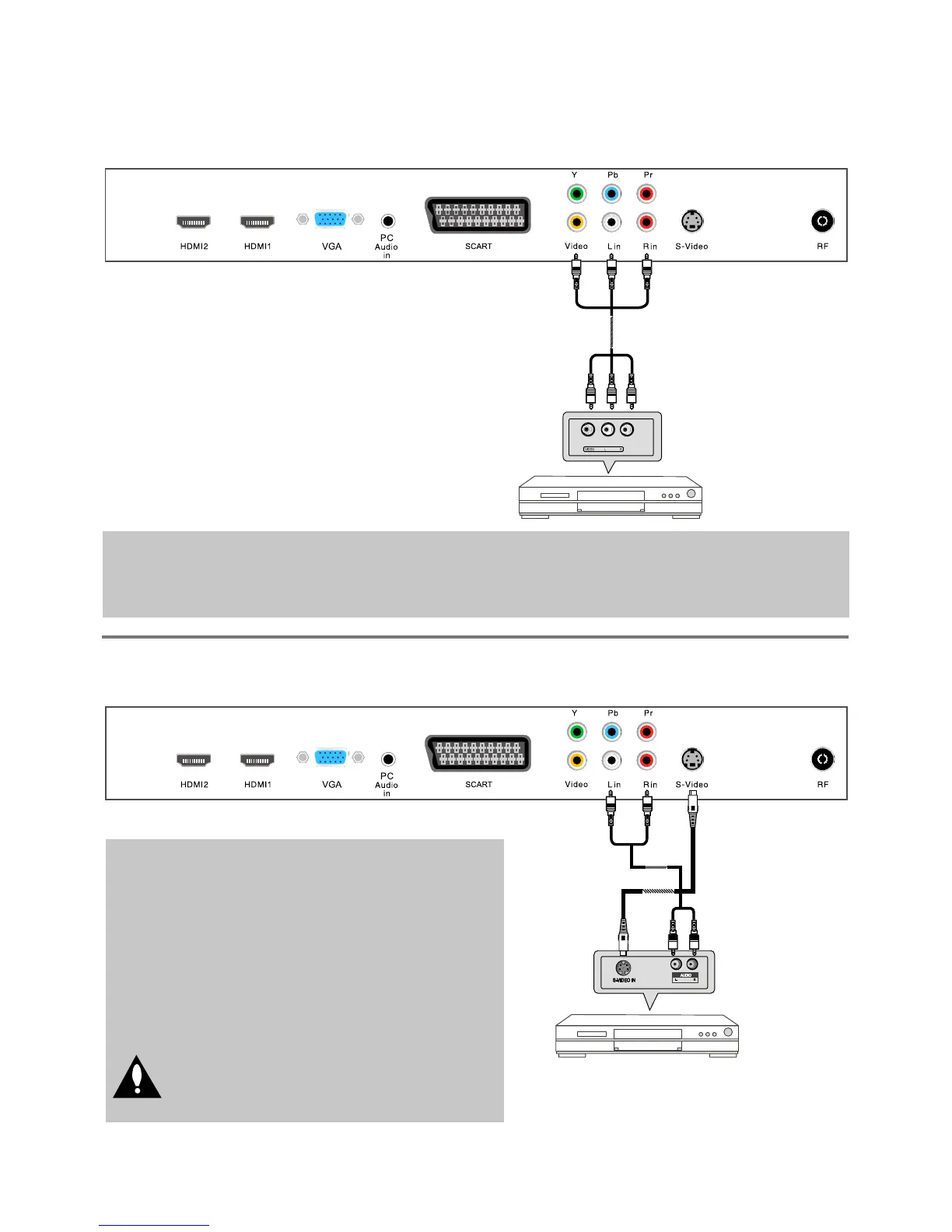
Connection
AV Input Connection
S-Video Connection
1RWH$OOFDEOHVVKRZQDUHQRWLQFOXGHGZLWKWKH79
1RWH$OOFDEOHVVKRZQDUHQRWLQFOXGHGZLWKWKH79
- Connect the VIDEO and AUDIO output jacks on the DVD or VCR to the AV IN jacks on the TV
VHWZLWKD5&$FDEOH
0DWFKWKHMDFNVFRORUVVideo=yellow, Audio left=White, Audio right=red.
7XUQRQWKH'9'9&5DQGVHOHFW³AV” in the input source menu.
&RQQHFWWKH69,'(2RXWSXWMDFNRQWKH'9'RU
9&5WRWKH69LGHRLQSXWMDFNRQWKH79VHWZLWK
D69LGHRFDEOH7KHSLFWXUHTXDOLW\LVLPSURYHG
compared to a regular VCR to the video input.
- Connect the audio output jacks on the DVD or
VCR to the audio input jacks on the set with an
DXGLRFDEOH
7XUQRQWKH'9'9&5DQGVHOHFW³S-VIDEO” in
the input source menu.
'RQRWFRQQHFWERWK9,'(2DQG69,'(2
DWWKHVDPHWLPH7KH\ZLOOLQWHUIHUHZLWK
each other
5&$9LGHR&DEOH
69LGHR&DEOH
5&$$XGLR&DEOH
$XGLR&DEOH
DVD or VCR
DVD or VCR
8



 To Next Page