Confirm that the iPod®/iPhone® has been correctly linked to the IPD-4500 system, plug the barrel plug of
the power supply adapter into the jack marked on the operating panel of the IPD-4500 system,
and plug the power supply plug into an AC receptacle, and you can begin to use the IPD-4500 system.
Power supply from the rechargeable batteries:
There are four rechargeable batteries built into the IPD-4500 system that can be charged and used
repeatedly. If the rechargeable batteries have sufficient charge, you can connect an iPod®/iPhone® to
the IPD-4500 system and begin to use the IPD-4500 system.
To play
Slide the power switch on the panel of the IPD-4500 system to the farthest right “ON”
position to supply power to the IPD-4500 system. The green indicator light on the switch will turn on.
Turn on the iPod®/iPhone®, and select and play your favorite music.
Volume control
The keys on the panel of the IPD-4500 system control the volume of the sound system. Press and
hold the "+" key to increase the volume, and press and hold the "-" key to turn down the volume. Each
time the power is turned back on, the system will automatically set the play volume at around 40% of the
maximum volume to prevent too high a volume when the unit is started and to keep others from being
disturbed.
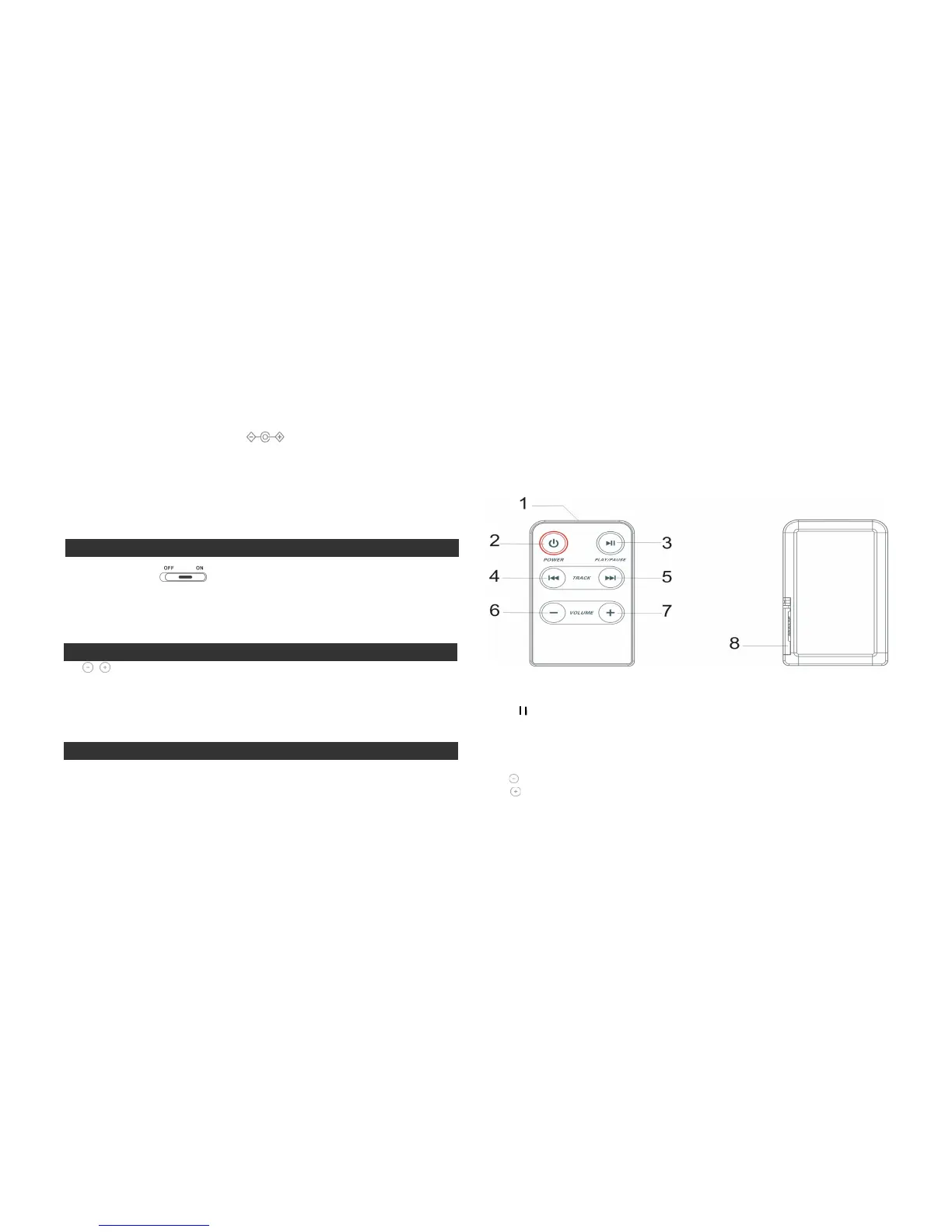
Use of the remote control
The IPD-4500 system comes with a special remote control which you can use for normal operation of the
iPod®/iPhone® player and IPD-4500 system:
A. The remote control is located in the storage compartment of the IPD-4500 when it is delivered from
the factory and can be found by opening the compartment cover; for details concerning removing the
remote control and storing it in the IPD-4500 system, please read the quick use guide;
B. The features of the special remote control for the IPD-4500 system fully realize the basic functions
required for an audio system; it uses one CR2025 button battery as the power supply; see the quick use
guide for details concerning replacing the battery;
1. Infrared Transmitter Head
2. Power on/Power off
3.
: Play/Pause iPod®/iPhone®
4.
Previous: When playing songs with an iPod®/iPhone®, press the
key once to jump to the
previous song. Hold down the
key for a longer time to rewind the song that is being played.
5.
Next: When playing songs with an iPod®/iPhone®, press the
key once to jump to the next
song. Hold down the
key for a longer time to fast-forward the song that is being played.
6. : Volume-
7. : Volume+
8. Battery compartment cover



 To Next Page
 Loading...
