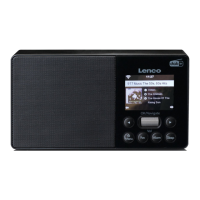
Need help?
Do you have a question about the LENCO IR-2100 and is the answer not in the manual?
Instructions for connecting the AC cord and powering on the radio for the first time.
Step-by-step guide to connect the radio to a wired or wireless network.
How to select stations via location, genre, or browsing available lists.
Configuring Windows Media Player for sharing media files with the radio.
Options for configuring network settings, scanning, and manual parameters.
Steps to resolve issues connecting the radio to Wi-Fi or Ethernet networks.
Resolving issues with sharing music files from a PC to the radio.
 General
| Brand | LENCO |
|---|---|
| Model | IR-2100 |
| Category | Radio |
| Internet Radio | Yes |
| DAB+ | Yes |
| FM Radio | Yes |
| Bluetooth | Yes |
| USB Playback | Yes |
| Display | LCD |
| Alarm Function | Yes |
| Sleep Timer | Yes |
| Power Source | AC/DC |
| Remote Control | Yes |
| Display Type | LCD |
| Tuner Type | Digital |
| Presets | Yes |
| Speaker Output | 2 x 3W |
| Connections | USB, Bluetooth, AUX |
| Battery Type | Not applicable |
| Number of Batteries | Not applicable |
| Frequency Range | FM: 87.5 - 108 MHz |

 To Next Page