EasyManua.ls Logo

LENCO KDV-310 - User Manual

LENCO KDV-310
10 pages
Print Icon
To Next Page IconTo Next Page
Loading...
User Manual
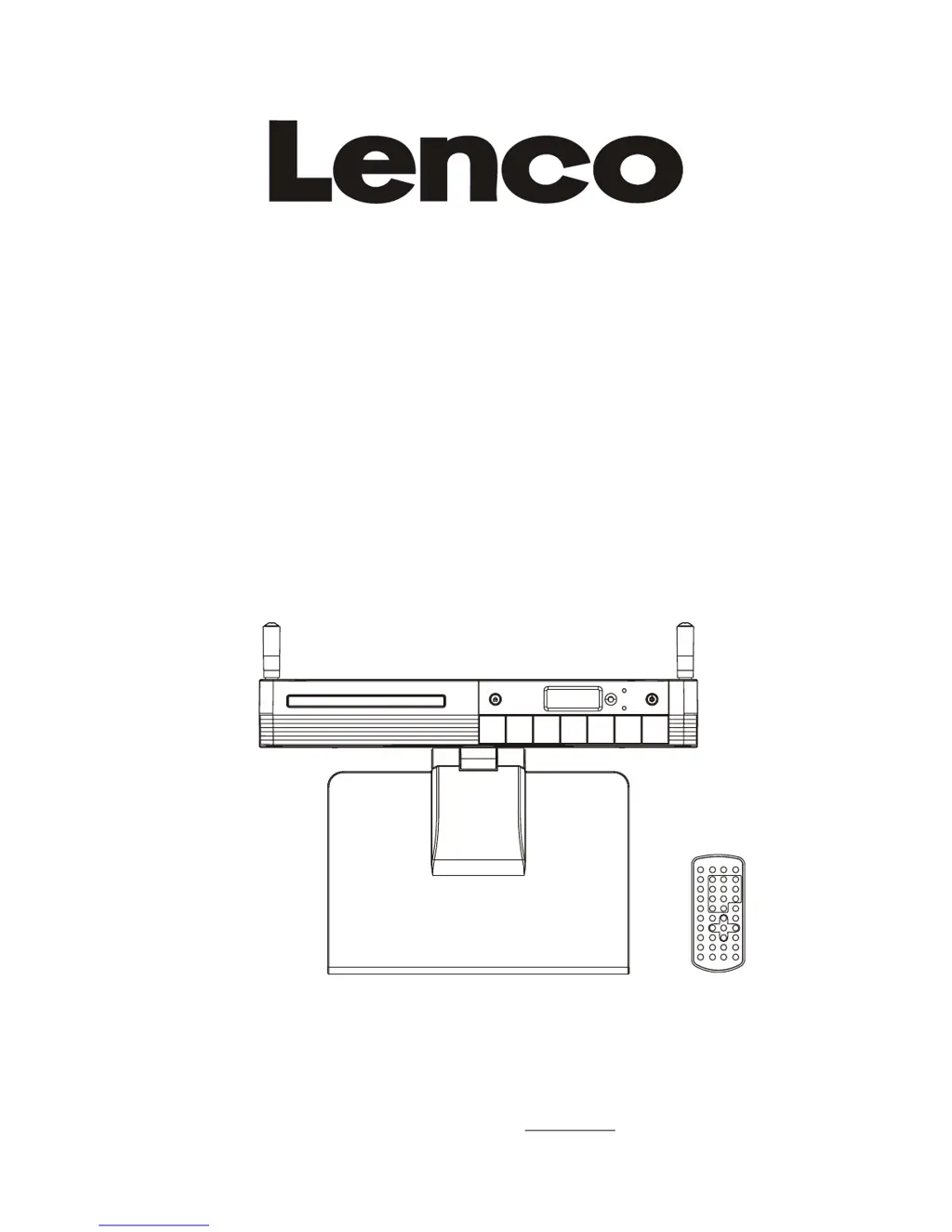
KITCHEN DVD/CD PLAYER WITH RADIO
ALARM & DVB-T RECEPTION
AND REMOTE CONTROL
MODEL: KDV-310
SELECT
READ THESE INSTRUCTIONS INCLUDED IN THIS IM THOROUGHLY PRIOR TO CONNECTING AND OPERATING.
PLEASE RETAIN THIS MANUAL IN CASE YOU MAY NEED IT FOR FUTURE REFERENCE.
THE ILLUSTRATIONS & GRAPHICS HEREIN ARE FOR REFERENCE ONLY AND SUBJECT TO CHANGE WITHOUT NOTICE.
For information and support, www.lenco.eu

Questions and Answers

  • D
    Dr. Margaret FigueroaAug 10, 2025
    What to do if my LENCO DVD Player has no picture or sound?
    • P
      Patrick FrostAug 10, 2025
      If your LENCO DVD Player isn't showing a picture or playing sound, please verify that the A/V cables are securely connected. Ensure that you are using a compatible disc (DVD region 2 or all, DVD-RW, or AUDIO CD) and that the disc is clean and without scratches, with the label-side facing up. If using a TV, confirm that the TV channel is set to VIDEO or AV, and that the image brightness and contrast settings are properly adjusted. Also, check the TV signal strength. If the issue persists, the pick-up lens of the DVD player may be dirty and require professional cleaning.
  • L
    Lisa GonzalesAug 18, 2025
    Why won't my LENCO DVD Player remote control work?
    • R
      Robert HurstAug 18, 2025
      If the remote control for your LENCO DVD Player isn't working, first ensure that the battery is correctly inserted, paying attention to the '+' and '-' direction. If the issue persists, the battery may be flat and require replacement with a new one. Also, ensure that the remote control is pointed directly at the remote control sensor on the DVD player, and that there are no obstacles blocking the signal transmission.
  • T
    Tracy RobinsonAug 26, 2025
    How to fix no sound on LENCO DVD Player?
    • J
      Jonathan LopezAug 26, 2025
      If there is no sound from your LENCO DVD Player, first check the volume setting and increase it if it's set to zero. Also, ensure that headphones are not plugged into the PHONES socket, as this will disable the speakers.
  • M
    matthew74Sep 2, 2025
    What to do if LENCO DVD Player power does not turn on?
    • H
      Heather WrightSep 2, 2025
      If your LENCO DVD Player isn't turning on or suddenly turns off, make sure the AC cord is securely plugged into both the AC socket on the device and the AC outlet. If it is, try turning the power off and then back on.

Summary

SAFETY INFORMATION

CAUTION AND WARNINGS

Details laser safety, fire, electric shock hazards, and warnings against rain or moisture exposure.

IMPORTANT SAFETY INSTRUCTIONS

Lists 11 crucial safety instructions for operation, cleaning, ventilation, and servicing.

OPERATION - PLAYBACK FEATURES

BASIC PLAYBACK AND NAVIGATION

Covers starting playback, volume, mute, skipping tracks, stopping, slow-motion, and rapid scan.

SYSTEM AND LANGUAGE SETUP

SYSTEM CONFIGURATION

Configures TV system, LCD mode, TV type, password, parental rating, and factory defaults.

OPERATING MODES AND FUNCTIONS

TROUBLESHOOTING AND SPECIFICATIONS

TROUBLESHOOTING GUIDE

Provides solutions for common issues like power, remote, picture, and sound problems.

LENCO KDV-310 Specifications

General IconGeneral
BrandLENCO
ModelKDV-310
CategoryDVD Player
LanguageEnglish

Related product manuals