12
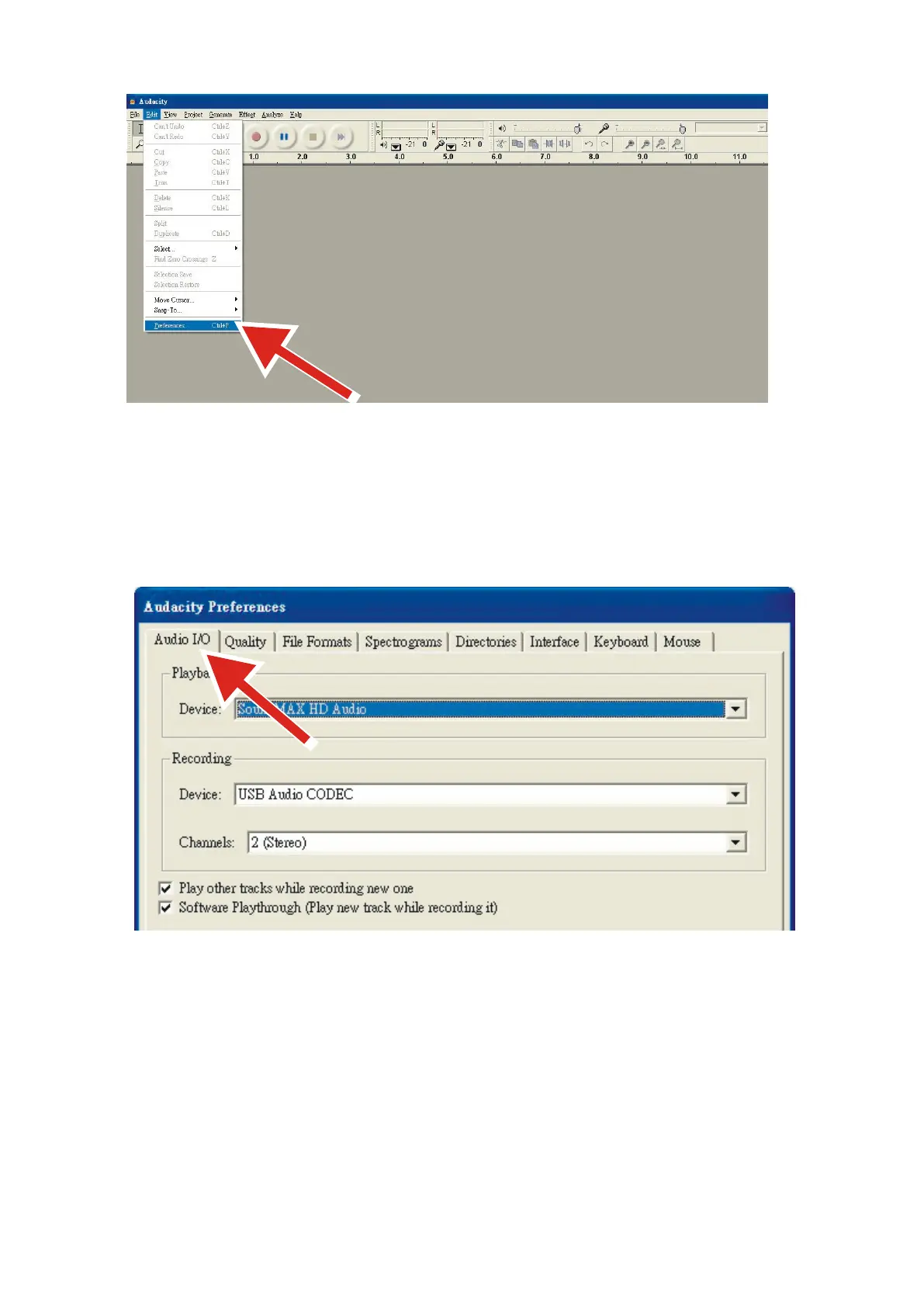
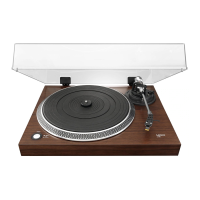
6. Select Audio I/O tab at the top left.
⚫ Under Playback, Device, select your internal sound card.
⚫ Under Recording, Device, select USB Audio CODEC.
⚫ Under Recording, Channels, select 2 (Stereo).
⚫ Check the box marked Play other tracks while recording new one.
⚫ Check the box marked Software Playthrough.
Recording Albums with Audacity
1. Saving a project
⚫ Audacity writes all the changed and recorded audio to a directory called Projectname_data, which is
located right where you saved the project file itself.
⚫ Thus, select Save Project as from your Audacity File tab and choose a location and filename for your
project.
⚫ Please note that when you startup Audacity fresh, only the “Save As...” menu option is available.



 To Next Page