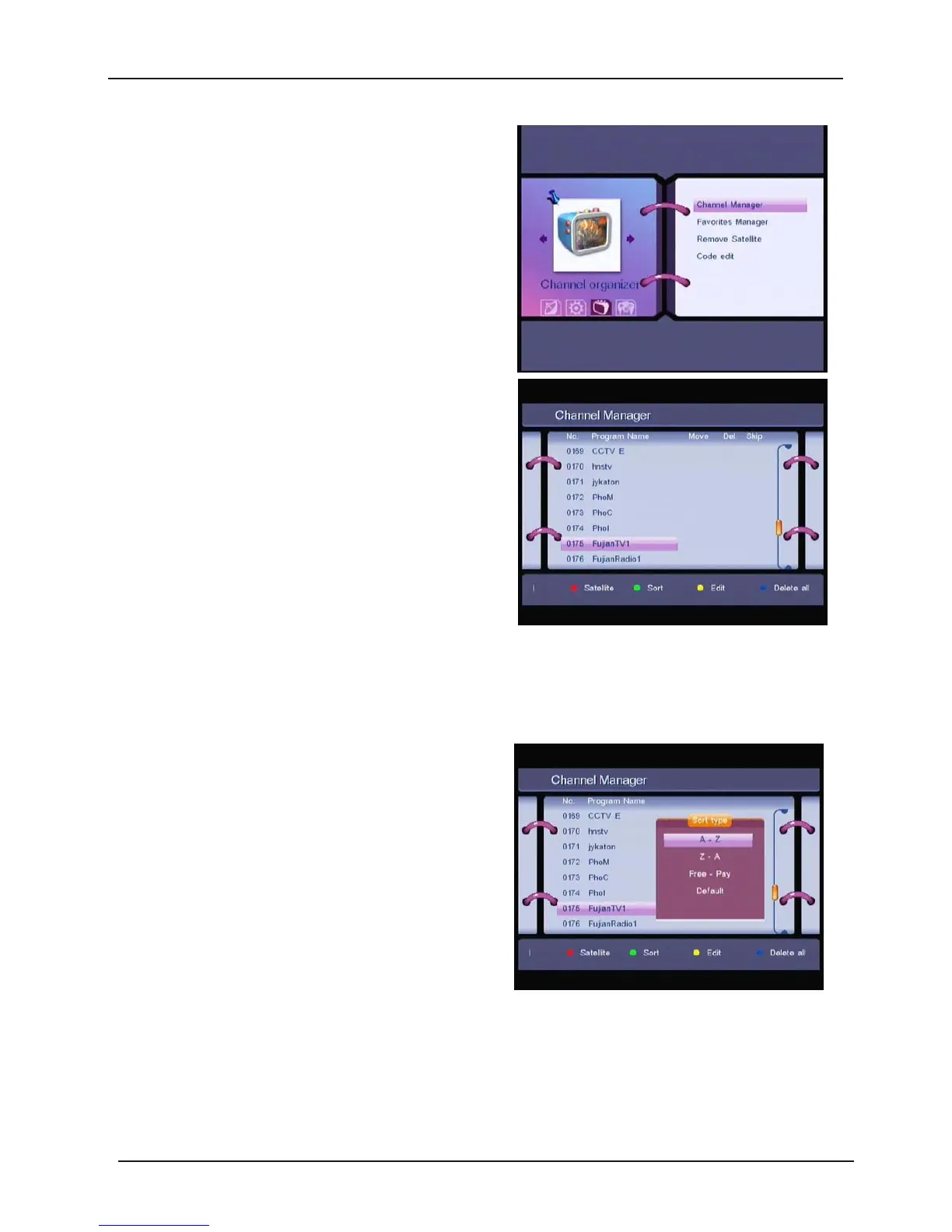
1.3 Channel Organizer
In the
MAIN MENU
screen, press UP/DOWN to
move the cursor to
Channel Organiser,
and
then press OK to enter the
Channel Organizer
menu.
The
Channel Organizer
menu consists of three
sub-menus; “
Channel Manager” , “Favorites
Manager”
,
“Remove Satellite” .
1.3.1 Channel Manager
In this menu, you can change the order of the
channels, delete and edit channels.
To
change the satellite use the RED button, and
press Left/Right button.
Sort (GREEN button)
You
can sort the channel order in the channel
list by “A-Z”, “Z-A”, “Free-Pay”,
“FAV
” or “Default”
type.
30



 To Next Page