PVR settings
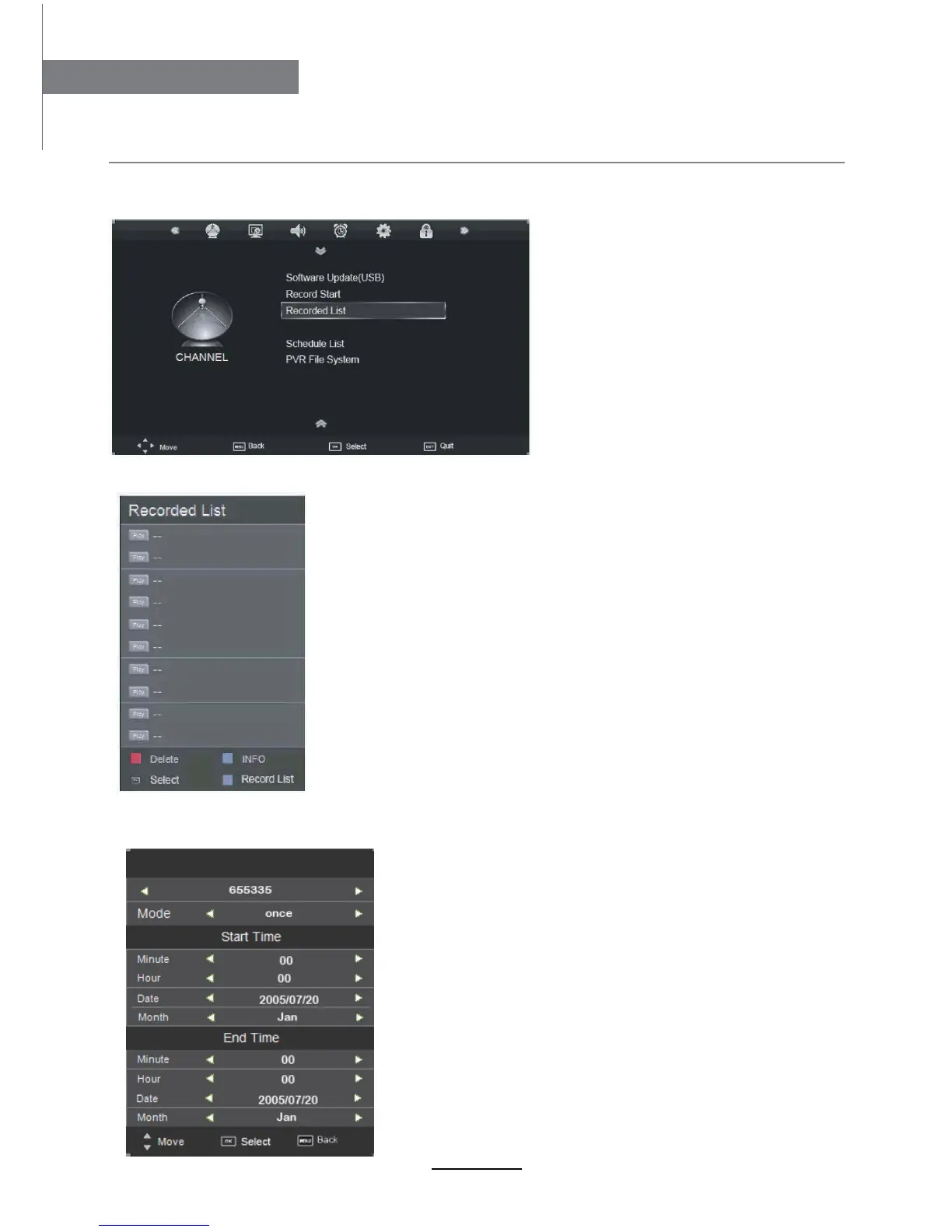
Press the MENU button, and select CHANNEL menu.
1). Recorded List
Recorded list:
Display the Recorder List menu.
INFO: Display the information of the program you recorded.
RED button: Delete the program you select.
Recording Operation
19
Recording Operation
Channel
2). Recoring Time
TITLE: Display the name of the recording program.
MODE: Select the record mode.
Start Time: Select the start recording time.
End Time: Select the end recording time.
Press OK button to save the setting and exit the menu.
Set the recording timer
The TV will record the program automatically according
to your settings.
Recoring Time
Recording Timer



 To Next Page