OSD Manual
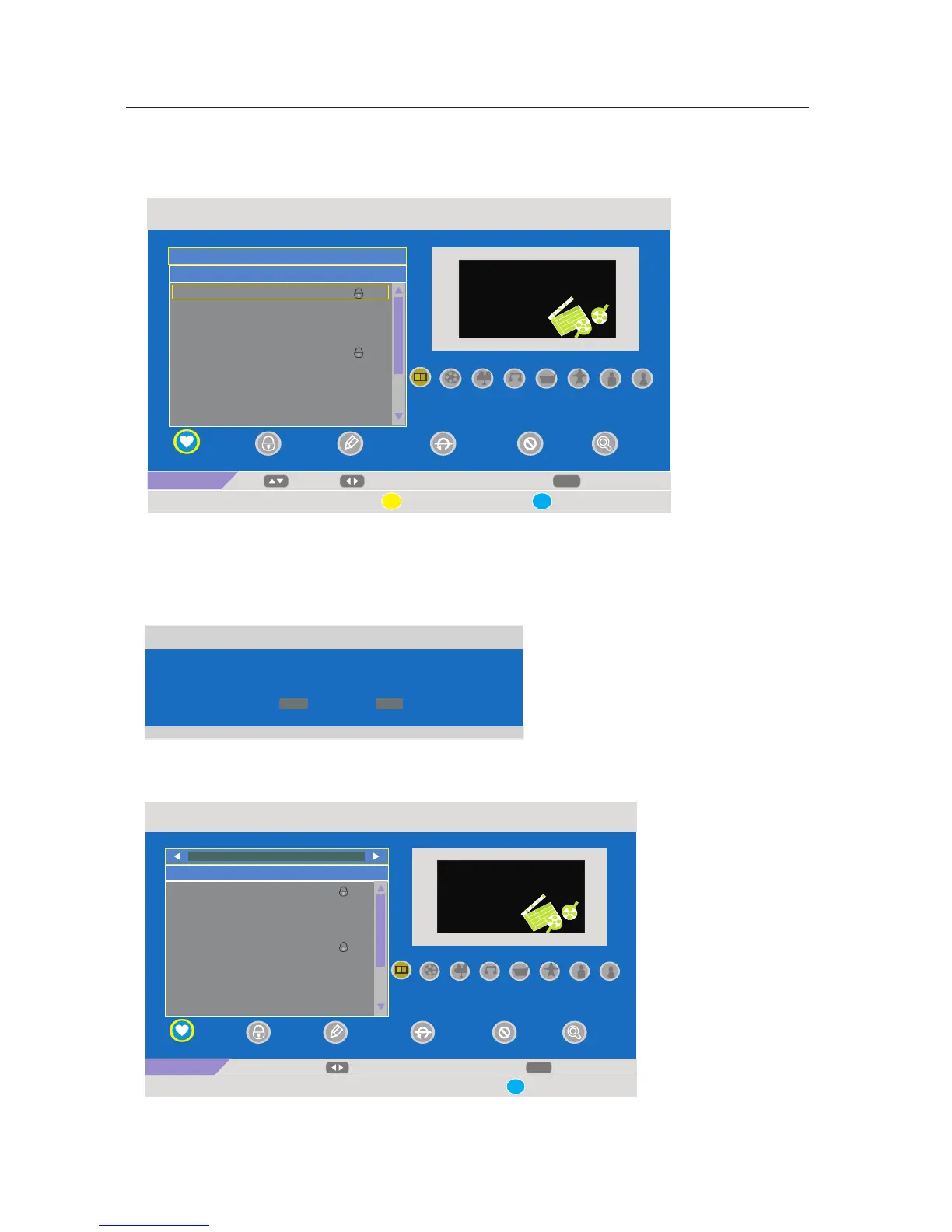
·Use down【 ▼】arrow button to highlight PROGRAM EDIT. Navigate using 【 ► 】arrow button to enter the submenu
as following.
This option has three functions.
·Use the 【 ▲】 /【▼】arrow button to select channel.
·Use 【 】
·Use .
1-8 number buttons to set the current channel to your favorite group 1-8. if the current channel already be
one of your favorite gruop 1-8, use 【 1-8】 number buttons again will set it to a normal channel.
Yellow button on the remote, the menu will appear as follows:
·Use Blue button to on the remote, the menu will appear as follows:
· Use the 【ENTER】to
.
save the change or Use the 【Menu】 button to return back the previous menu.
TV List
07/05/09 00:45
No. Program Name Status
001 7 Digital
002 7 Digital 1
003 7 Digital 2
004 7 Digital 3
005 7 HD Digital
006 LUXE.TV SD
007 LUXE.TV UK HD
008 LUXE.TV HD
009 BBC ONE
Exit
Fav
CH+/-
Tool
MENU
1-8: Favorite Group Edit
Save
Ch5 / 177500 Khz
PID: V 1025, A 1026
Lock
Fav
ALL
DTV
Save the change?
ENTER
MENU
YES
Exit
TV List
07/05/09 00:45
No. Program Name Status
001 7 Digital
002 7 Digital 1
003 7 Digital 2
004 7 Digital 3
005 7 HD Digital
006 LUXE.TV SD
007 LUXE.TV UK HD
008 LUXE.TV HD
009 BBC ONE
Exit
Switch
MENU
Ch5 / 177500 Khz
PID: V 1025, A 1026
Lock
Fav
ALL
FAV:
17



 To Next Page