OSD Manual
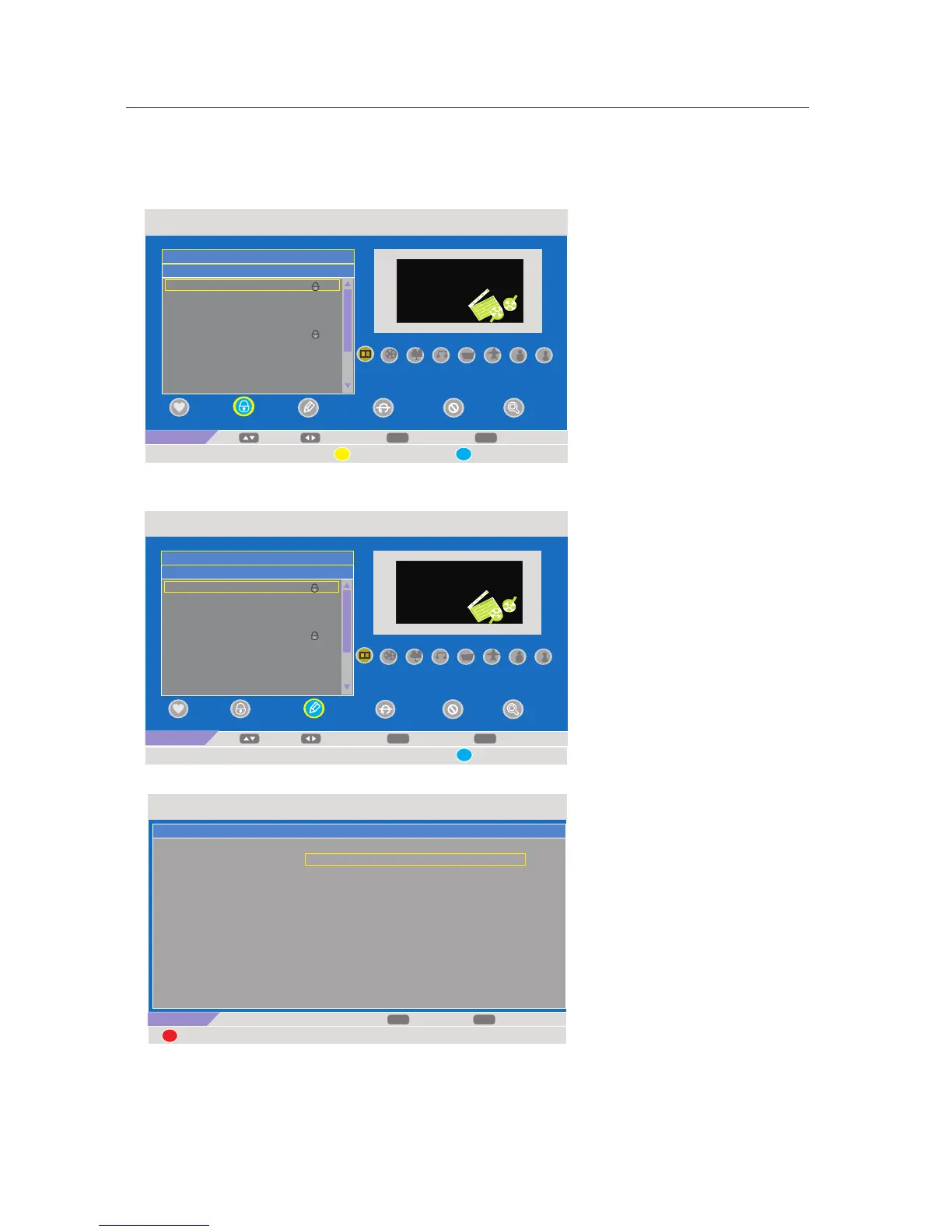
·Use the 【◄】 /【►】arrow button to switch between all options and use【ENTER】button to select.
· Use Blue button to return back to the previous menu.
· Use the 【ENTER】button to set the current channel to lock. if the current channel already lock, use it again will unlock.
·Use the 【 】 /【 】arrow button to .◄ ► switch between all channel and fav 1-8 channel
TV List
07/05/09 00:45
No. Program Name Status
001 7 Digital
002 7 Digital 1
003 7 Digital 2
004 7 Digital 3
005 7 HD Digital
006 LUXE.TV SD
007 LUXE.TV UK HD
008 LUXE.TV HD
009 BBC ONE
Exit
Lock
CH+/-
Tool
MENU
Save
Ch5 / 177500 Khz
PID: V 1025, A 1026
Lock
Fav
ALL
Select
ENTER
TV List
07/05/09 00:45
No. Program Name Status
001 7 Digital
002 7 Digital 1
003 7 Digital 2
004 7 Digital 3
005 7 HD Digital
006 LUXE.TV SD
007 LUXE.TV UK HD
008 LUXE.TV HD
009 BBC ONE
Ch5 / 177500 Khz
PID: V 1025, A 1026
Lock
ALL
Exit
Edit
CH+/-
Tool
MENU
Fav
Select
ENTER
TV List
07/05/09 00:45
Exit
Edit
MENU
Save & Exit
Edit
ENTER
Program Info
·Use the 【 ▲】 /【▼】arrow button to select channel, then use【ENTER】 button to enter the program info menu.
Program Name
Program No
Program No.
Frequency
Bandwidth
Constellation
Guard Interval
FFT
7 Digital 2
003
005
177500
0007
QAM64
1/32
8K
Video PID
Audio PID
Khz
MHZ
Hierarchy Mode
HP Code Rate
LP Code Rate
1025
1026
N/A
7/8
1/
2
·Use the 【 ▲】 /【▼】arrow button to select channel, then use【ENTER】 button to rename the program.
EDIT:
18



 To Next Page