EasyManua.ls Logo

LENCO LED-2412 - Recorded List Navigation; File Operations

LENCO LED-2412
35 pages
Print Icon
To Next Page IconTo Next Page
To Previous Page IconTo Previous Page
Loading...
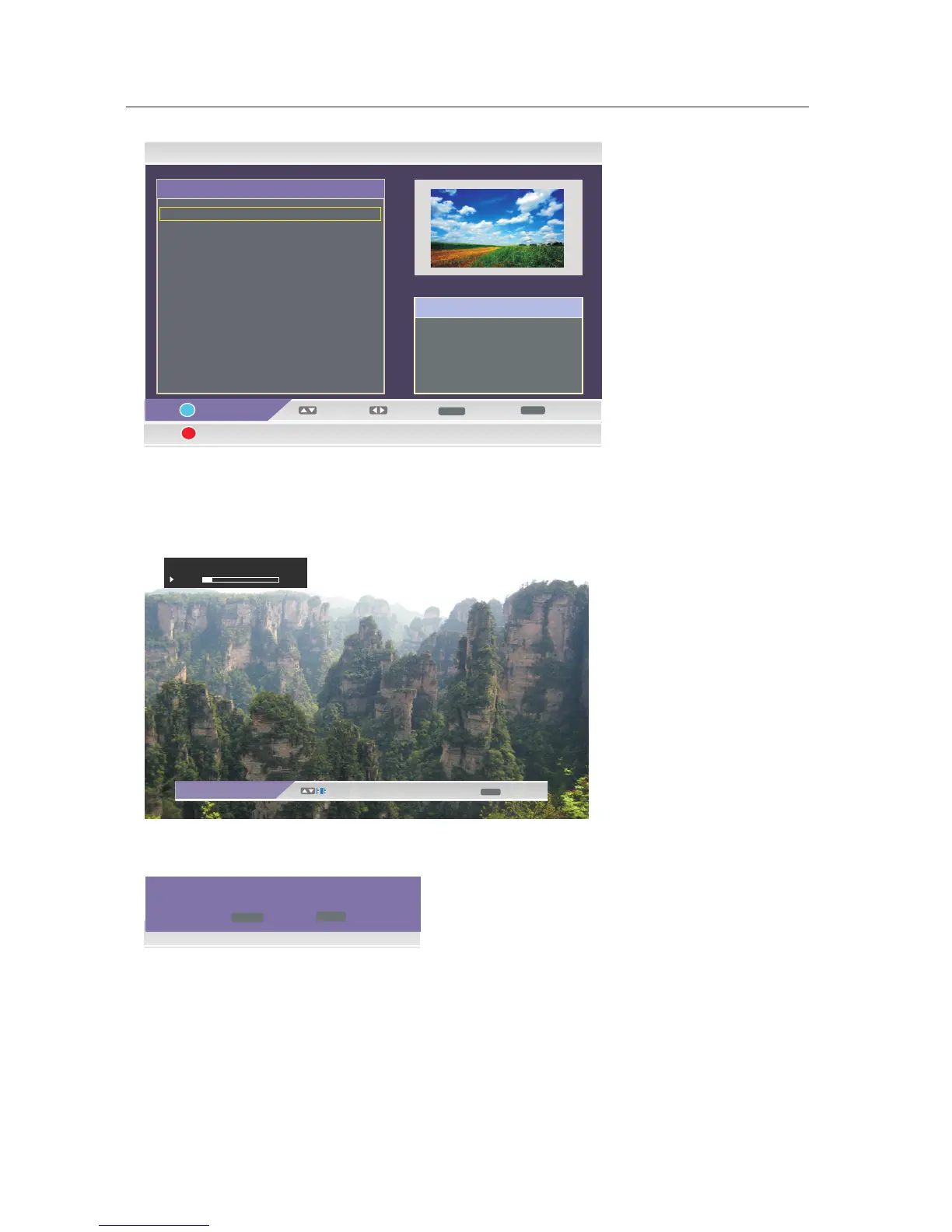
My Recorder - Recorded List
16/05/09 14:28
Select
MENU
ENTER
CH+/-
i
Device
No. Program Name
Page
0001 LUXE.TV SD 090516
0002 Sky Spts News_090608
Exit
Del
Info
LUXE.TV SD_090516
09/05/16
13:48~13:49
00:00:’55’
This option has five functions.
·Use the DISPLAY button to select device.
·Use the /arrow button to move to select file recorded.
·Use theENTER button to select the file, and use it again to play the file.
ME NU
Exit
±
00:00:’05’’/00:00:’49’’
Sky Spts News_090608
10%
·Use the Red button to delete the file selected.
DTV
Are you sure to delete this program?
ENTER
MENU
Exit
YES
·Use the Green button to preview the file selected.
·Use theMENU button to exit the menu.
OSD Manual
29

Related product manuals