confirm the selection in MENU mode.
20. button to stop CD/USB/SD-MMC/iPOD playback or to return to the
previous menu page.
21. RPT button to select repeat playback or to select the next preset channel in
tuner mode
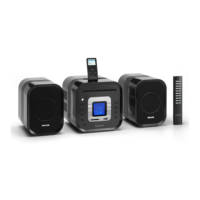
Main Unit Top Panel Description
1. iPod docking
Main Unit Back Panel Description
1. FM Antenna.
2. AM Antenna Input for connecting the AM Antenna.
3. AUX Input to connect an external audio source.
4. Speaker wire connection jacks (Left/Right) to connect the loudspeaker
boxes.
Remote Control
1. ON/STANDBY button to turn on and off the unit, Standby LED indicator will
light up in STANDBY mode. Press over 5 seconds, it turns to ECO mode or
return to STANDBY mode when pressed over 5 seconds again.
2. SOURCE button to select TUNER, CD, UDISK (for USB), SD/MMC, iPOD,
and AUX source.
3. BAND/FOLDER button to select MW or FM band in radio mode or folder
selection during MP3/WMA playback
4. INTRO button to play the first 10 seconds of each track.
5. RPT/ button to select repeat playback or to set channel number / select
preset channel in TUNER mode.
6. / ENTER button to play or pause a track during CD/USB/SD-MMC/iPOD
playback or to confirm the selection in MENU mode.
7. to select next track in CD/USB/SD-MMC/iPOD mode, or to adjust the
clock in clock/timer/alarm setting or to increase the frequency in Tuner
mode.
8. SLEEP button to enable and select time to sleep.
9. EQ button to select five EQ presets(FLAT/ROCK/JAZZ/CLASSIC/POP)
10. VOL + button to increase the Volume
11. button to eject the CD disc.
12. MENU button to enter menu mode
13. ST/MO button to select stereo or mono output for FM band.
14. PROG/PRESET button to enter program mode, or to select program


 To Next Page