playback, or to memorize for tuner , auto scan and preset tuner channels
when it is pressed over 5 seconds
15. RAND/ button to select random playback or to set the channel number /
select a preset channel in TUNER mode,
16. / ESC button to stop CD/USB/SD-MMC/iPOD playback or to return to the
previous menu page.
17. to select the previous track in CD/USB/SD-MMC/iPOD mode, or to
adjust the clock during clock/timer/alarm setting or to decrease the
frequency in Tuner mode.
18. MUTE button to mute the sound.
19. BASS button to turn on or off the super bass effect.
20. VOL – button to decrease the Volume
Accessories
AM Loop Antenna
FM Antenna
Speaker Cable x 2
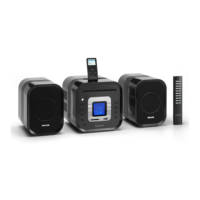
iPod plastic tray x 8
User Operations
To turn on the unit
After connecting the speaker cables and the power supply, the main unit
ON/STANDBY button LED lights up. Press the ON/STANDBY button to turn on
the unit and press it again to go to Standby mode. when pressed over 5
seconds, it will turn to ECO standby mode, it can turn back to Standby mode,
when pressed over 5 seconds again.
Menu Setting
1. Press the MENU button to enter menu setting mode.
2. Menu setting mode will allow the user to adjust the following settings:
CLOCK – adjust the real time clock
TIMER – set timer on and off time
ALARM – set the alarm time, select the alarm source, cycle mode or off
EQ – set EQ mode (FLAT/ROCK/JAZZ/CLASSIC/POP)
BASS – set BASS on and off
3. Press the MENU button repeatedly until the desired setting shows up.
4. Press the / ENTER button to select the setting
5. Press the / ESC button to quit or it will quit automatically if no button is


 To Next Page