-15-
BASIC OPERATION
MPEG4、JPEG PICTURE DISC PLAYING FUNCTION
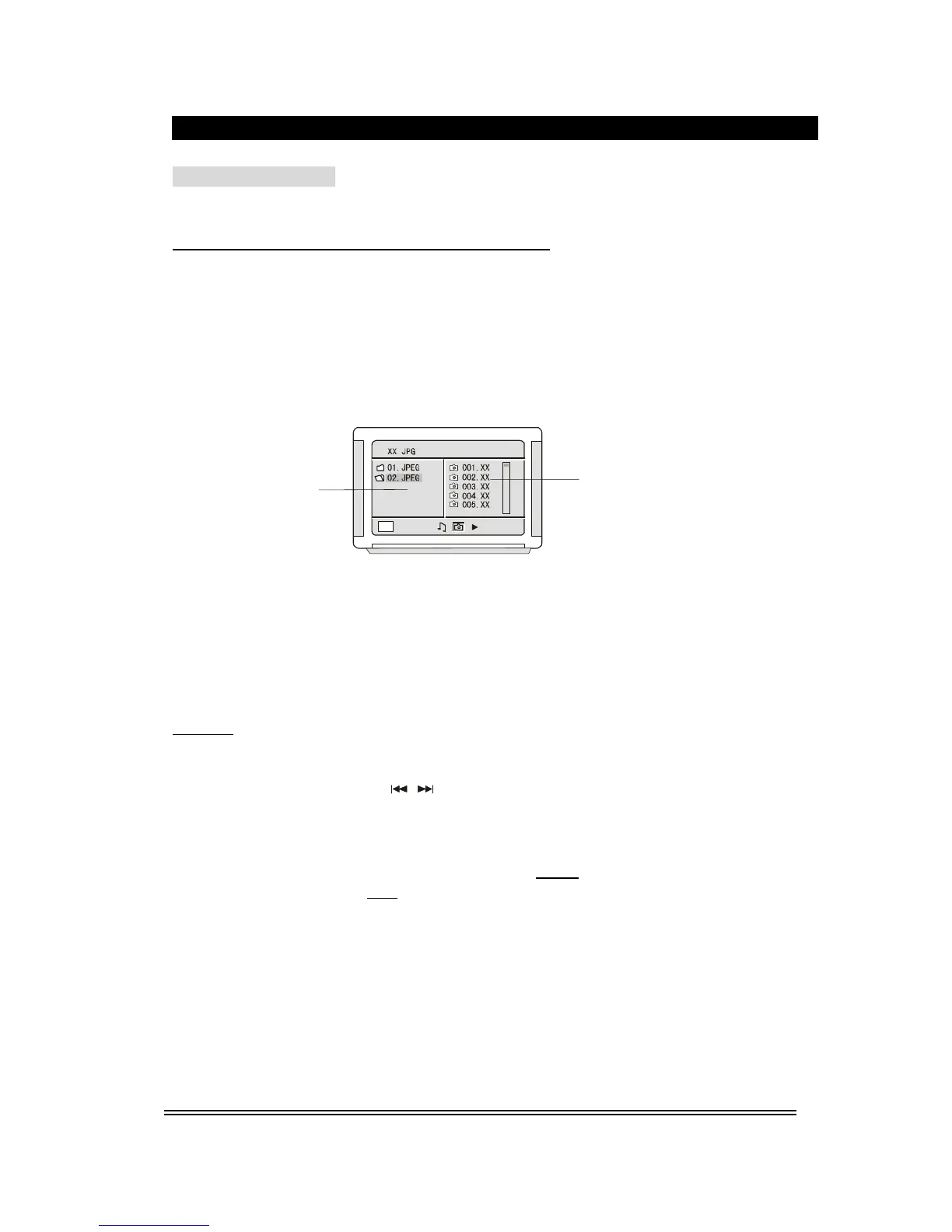
1). Place the MPEG4/JPEG disc into the deck, this unit will begin to read, the main
directory will be displayed on the TV screen.
Directory Area
Play File Selection Area
2). Press the direction button ▲▼ to move the cursor to the corresponding directory, press
Play/Enter
button to enter the next layer, and so on, until the desired picture is found for
play.
During play, number buttons or
button can be used to select pictures.
JPEG pictures may distort at the edge to some TV sets, this is not a unit defect.
This unit can play the digital photo discs with extension name .JPEG, and also
support the picture that made by Adobe Photoshop.
If you want to repeat playing some pictures, pressing the Repeat button is OK.
During browsing , press the Stop button can go back to main menu.
After go into the subdirectory in playing MPEG4 disc, also you can do the operation
such as fast backward, fast forward, pause. etc,.



 To Next Page