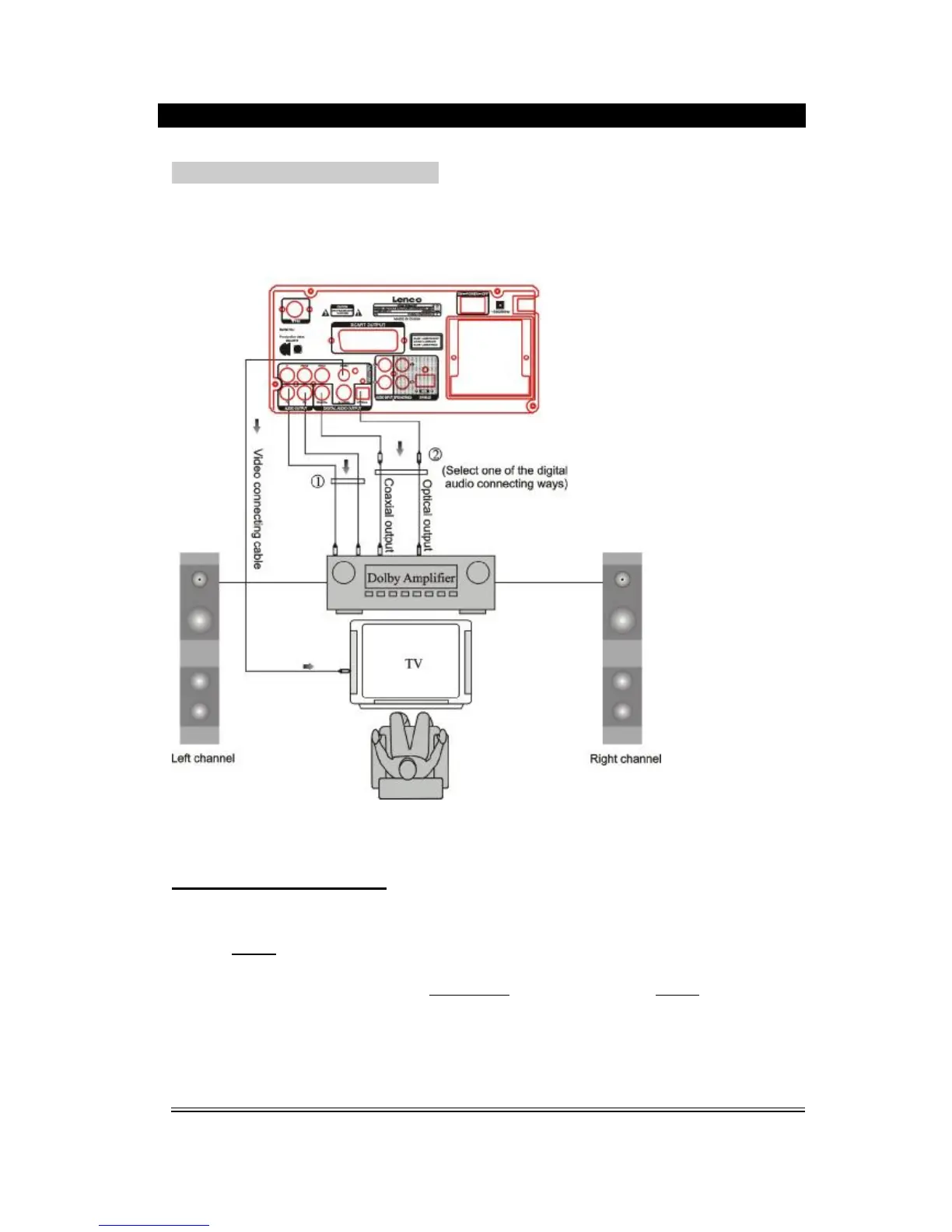
CONNECTION WITH AMPLIFIER
Setup of Digital Audio Output
Connect the optical or coaxial output jack to the amplifier. While in of play or stop mode,
press the SETUP button on the remote control to open the system setup page, switch to
audio setup page by pressing the directional buttons, then move the cursor to Audio Out,
select SPDIF/RAW or SPDIF/PCM, press PLAY/ENTER button to finish. Press SETUP
button again to exit the setup.



 To Next Page