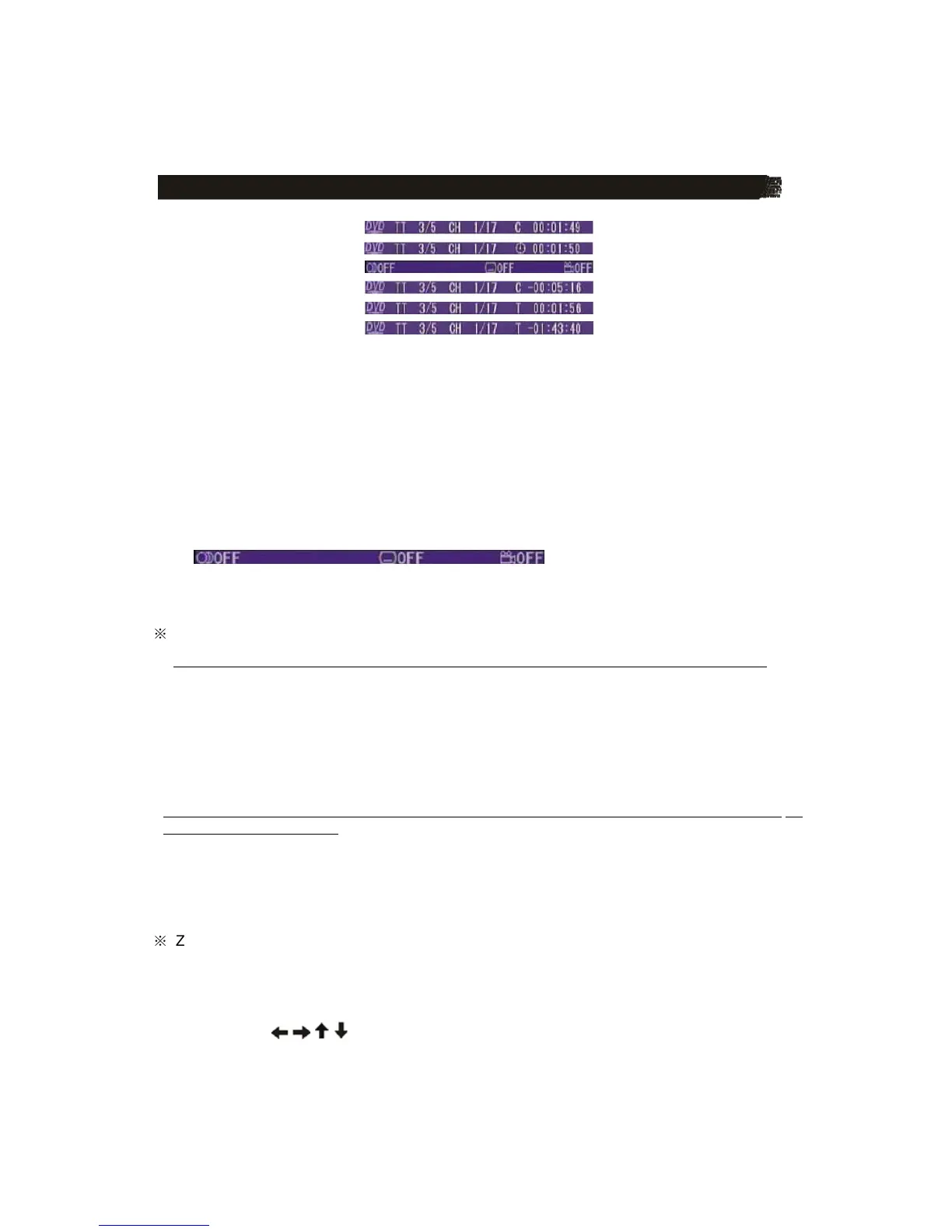
1) Item: TT
Function: Display the current title number and total title number.
2) Item: CH
Function: Display the current chapter number and total chapter number.
3) Item: (This icon only displayed for several seconds, after several seconds it will
disappeared.)
Function: Display the played time of the current chapter.
4) C-: Display the remaining time of the current chapter.
5) T: Display the played time of the current title.
6) T-: Display the remaining time of the current title.
7) C: Display the played time of the current chapter.
8)
Display the current disc’s language, audio type, subtitle language and play angle.
Note: The displayed information is different according to different type of discs.
※
REPEAT PLAY/PARAGRAPH PLAY
Repeat play: when you want to repeat playing the whole disc or a track or a chapter in the
disc.
�
Press REPEAT button on the remote control repeatedly to select different repeat modes.
�
For different kinds of discs, pressing REPEAT button has different effects.
For example:
DVD:
REP:[OFF]
Æ
REP:[CHAPTER]
Æ
REP:[TITLE]
Æ
REP:[ALL]
Note: REPEAT feature does not support VCD2.0 (with PBC ON).
Paragraph play: When you want to play a paragraph repeatedly, A-B repeat allows a passage to
be repeated continuously.
1) Press A-B button first at the start of the required passage: REPEAT A-
2) Press A-B button secondly at the end of the passage: REPEAT A-B
Then the unit will repeat playing the passage you just set from A to B.
3) Pressing A-B button again will exit repeating mode, and “ A-B CANCEL” will be displayed
on the screen.
※
ZOOM FUNCTION
Allows the picture to be increased in size. Press ZOOM button on the remote control to
toggle among 2 scale, 3 scale and 4 scale, 1/2 scale,1/3 scale, 1/4 scale.
When the scale is 1/4 times, press ZOOM button again to cancel the zoom function.
ZOOM 2
ĺ
ZOOM 3
ĺ
ZOOM 4
ĺ
ZOOM 1/2
ĺ
ZOOM 1/3
ĺ
ZOOM 1/4
ĺ
ZOOM OFF During Zoom
mode, press / , / buttons on the remote control to move pictures up, down, left or
right direction.



 To Next Page