GB 3
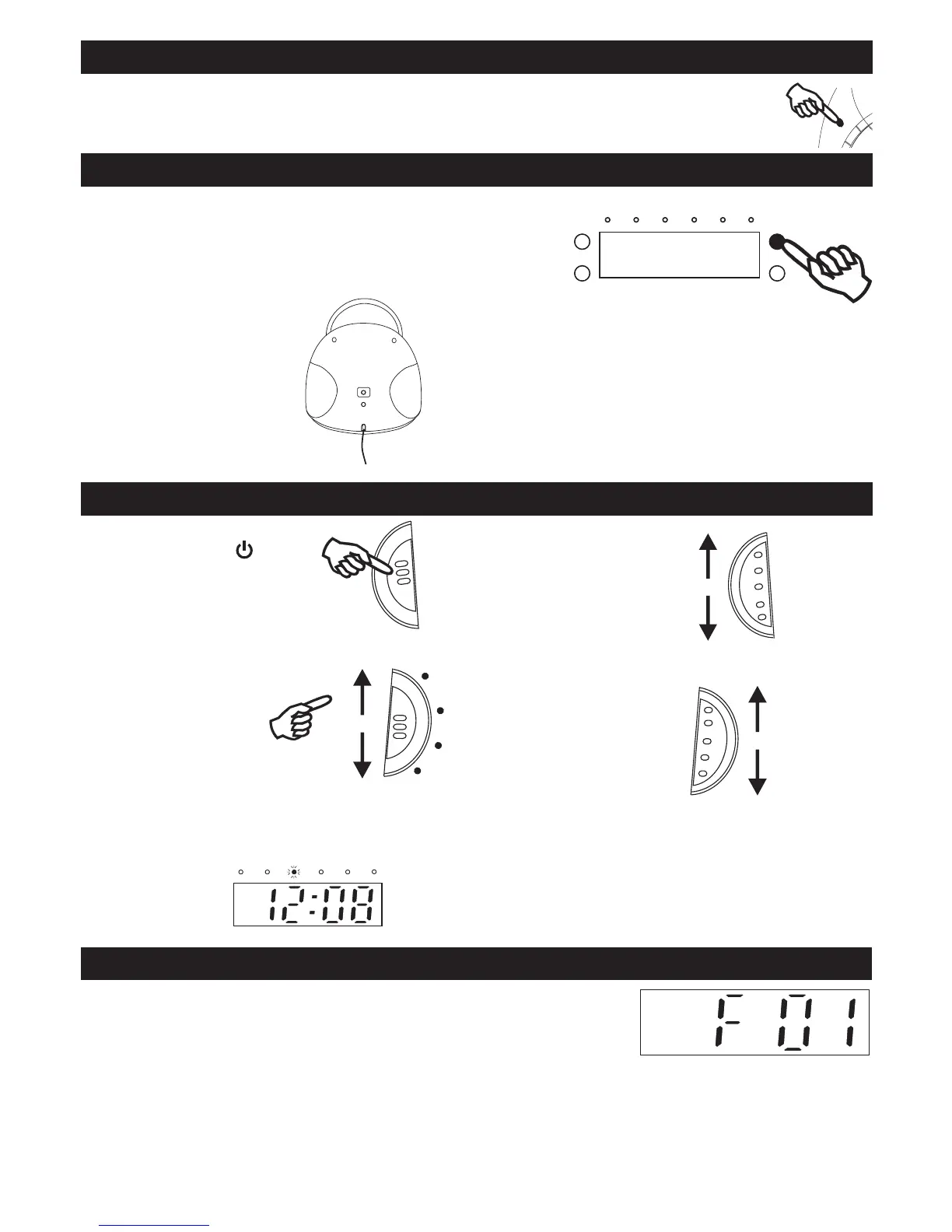
LISTENING TO THE RADIO
2. Slide FUNCTION button
to RADIO position.
4. Tune in to a station.
FUNCTION
RADIO
TUNING
3. Adjust the sound.
VOLUME
MIN
USB / SD / MMC OPERATION
1. Connect USB / SD / MMC into the USB / SD / MMC input of the system.
2. Slide “FUNCTION” button to USB / SD / MMC position.
3. The unit will start to read the media and to start the playback automatically.
note: USB connector does not support connection with USB extension cable and
Manufacturer is not responsible for the playability of USB / SD / MMC disk or MP3 player
Due to different formats, some USB / SD / MMC
1. Turn on the unit by
press STANDBY button.
FOR BETTER RECEPTION
FM
Under the playback mode of CD, USB , SD, when press the CD DISPLAY button will show the track information of the relatedbutton will show the track information of the related will show the track information of the related
source for 10 seconds. And then back to the real time clock.
CD DISPLAY
Press SLEEP button will set the Sleep : 00------10-----20-----30----40-----50-----60----70----80------90 minutesbutton will set the Sleep : 00------10-----20-----30----40-----50-----60----70----80------90 minutes will set the Sleep : 00------10-----20-----30----40-----50-----60----70----80------90 minutes
SLEEP
broardcast.
FM ST.
MAX


 To Next Page