EasyManua.ls Logo

LENCO MMC-2900 - ADVANCED PLAYBACK MODES; REPEAT, RANDOM, AND FOLDER MODES; PROGRAMMED PLAYLIST CREATION

LENCO MMC-2900
8 pages
Print Icon
To Next Page IconTo Next Page
To Previous Page IconTo Previous Page
Loading...
GB 5
MP3/WMA/USB/SD/MMC display
CD display
FOR MP3/WMA/USB/SD/MMC PLAYBACK


             
 
 or NEXT / TIME SET UP button./ TIME SET UP button. button.
   
 
BACK / TIME SET DOWN or NEXT / TIME SET UP button./ TIME SET UP button. button..
   
6. Repeat this procedure.

PROGRAMMED CD OPERATION
FOR NORMAL COMPACT DISC PLAYBACK


             
 
 
BACK / TIME SET DOWN or NEXT / TIME SET UP button./ TIME SET UP button. button..
               
5. Repeat this procedure.

FOR MP3 / WMA / USB PLAYBACK


FOR NORMAL COMPACT DISC PLAYBACK


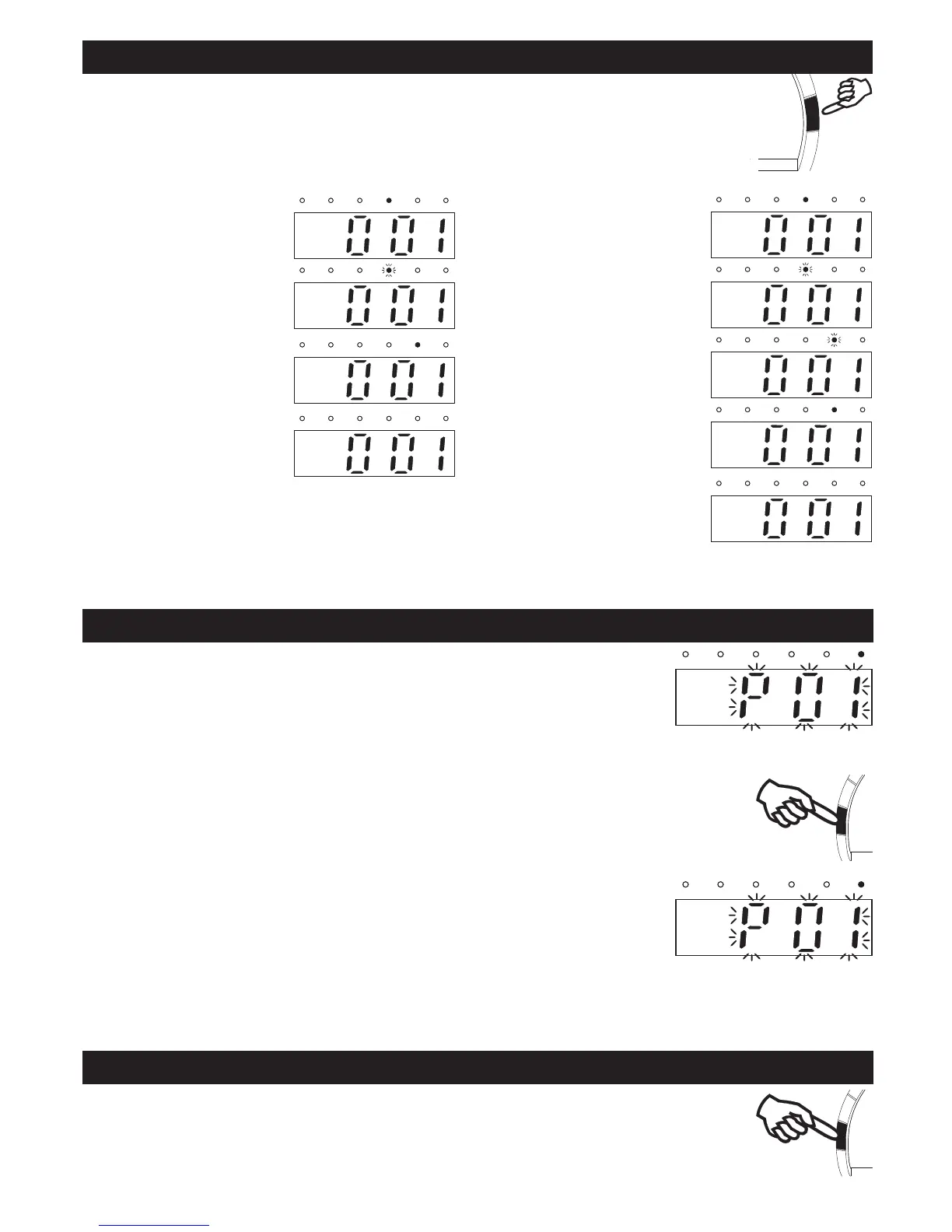
REPEAT , REPEAT ALL , RANDOM, FOLDER PLAYBACK
MP3/WMA/USB display
CD display
Press PLAY MODE button during stop mode.
For CD: Total number of tracks will be shown.
For MP3/WMA/USB/SD/MMC: Total number of tracks & folder will be shown.

the Repeat LED will


the Repeat LED will be


the Random LED will

Note on CD-R/RW discs
 

 

- Do not attach a seal or label to either side of the CD-R/RW disc. It may cause a malfunction.
 

the LED will turn off.

the LED will turn off.

the Repeat LED will


the Repeat LED will be


the Folder LED will be


the Random LED will

FOLDER UP






Related product manuals