OPERATING
12
FUNCTION OF USB READER
USB interface
This unit has two USB jacks. Press the INPUT A key to select USB A, then you can insert a USB sck to play
music. Press the INPUT B key to select USB B, then you can insert another USB sck to play music.
Important: The USB port is intended for data transfer only, other devices cannot be used with this USB
connecon. The use of USB extension cords is not recommended.
TIME DISPLAY
In USB mode, the display can show either the elapsed or the remaining me.
With long press of the play/pause key, you can select negave or posive display of the me.
CHARGING THE BATTERY
1. When in baery powered mode, the standby operaon cannot be used.
2. The control panel has a charging light. When the baery is charged enough, the light is green.
When the baery is low, the system display prompts ‘LOW POWER’ and the light turns red.
TO PROTECT THE LIFETIME OF THE INTERNAL BATTERY:
When the baery is empty, switch immediately the POWER knob on the backside to OFF posion to
protect the lifeme of the internal baery or to AC to charge it again.
Important: The supplier is not responsible for damage caused by misuse of the device and the baery will
not be covered by the guarantee.
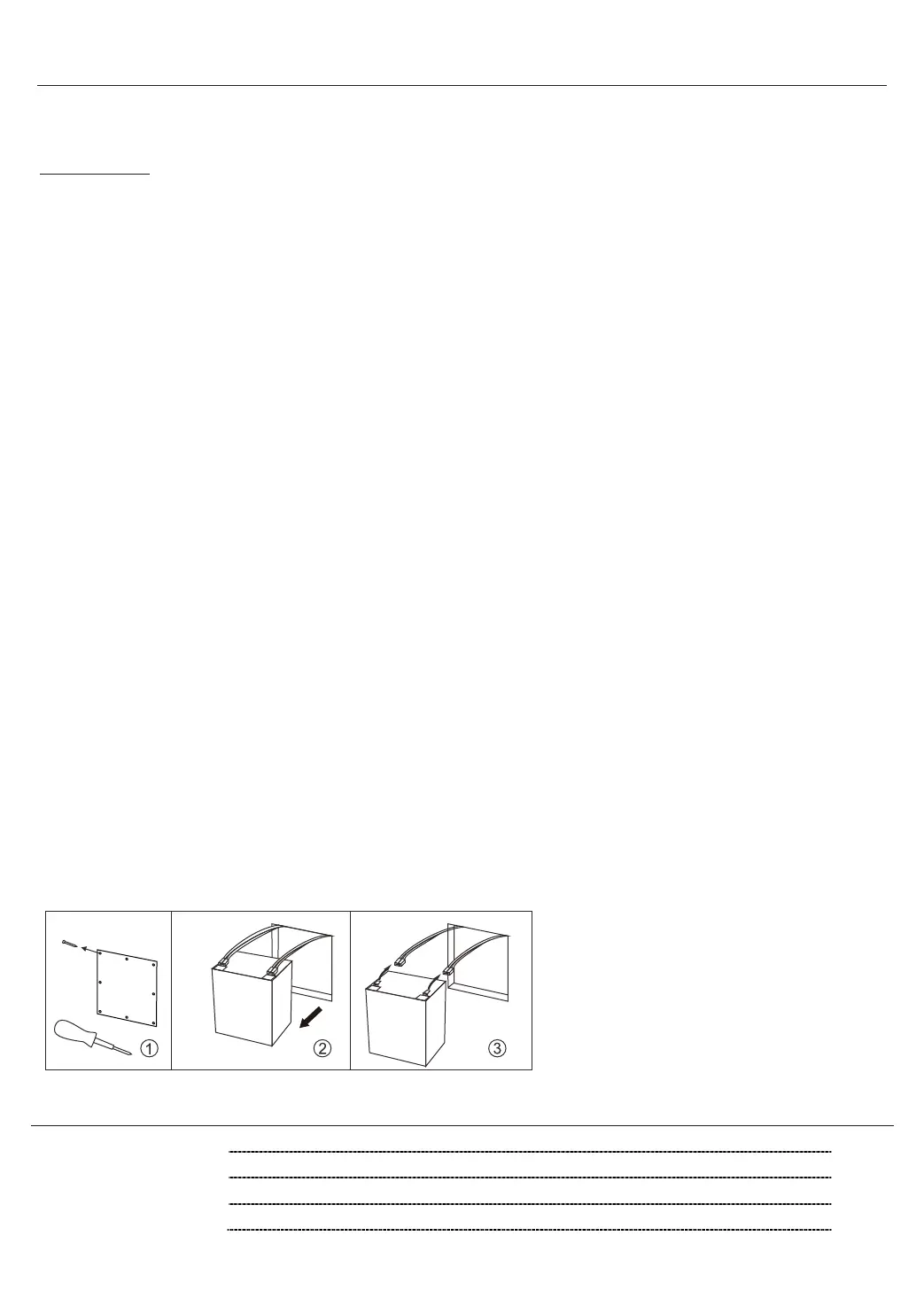
BATTERY DISASSEMBLY
1. Remove the screws on the rear panel.
2. Take out the baery.
3. Disconnect the baery
ACCESSORIES
Rem
ote control 1 pc
Instrucon Manual 1 pc
Wireless Microphone 1 pc
AC power cable 1 pc


 To Next Page