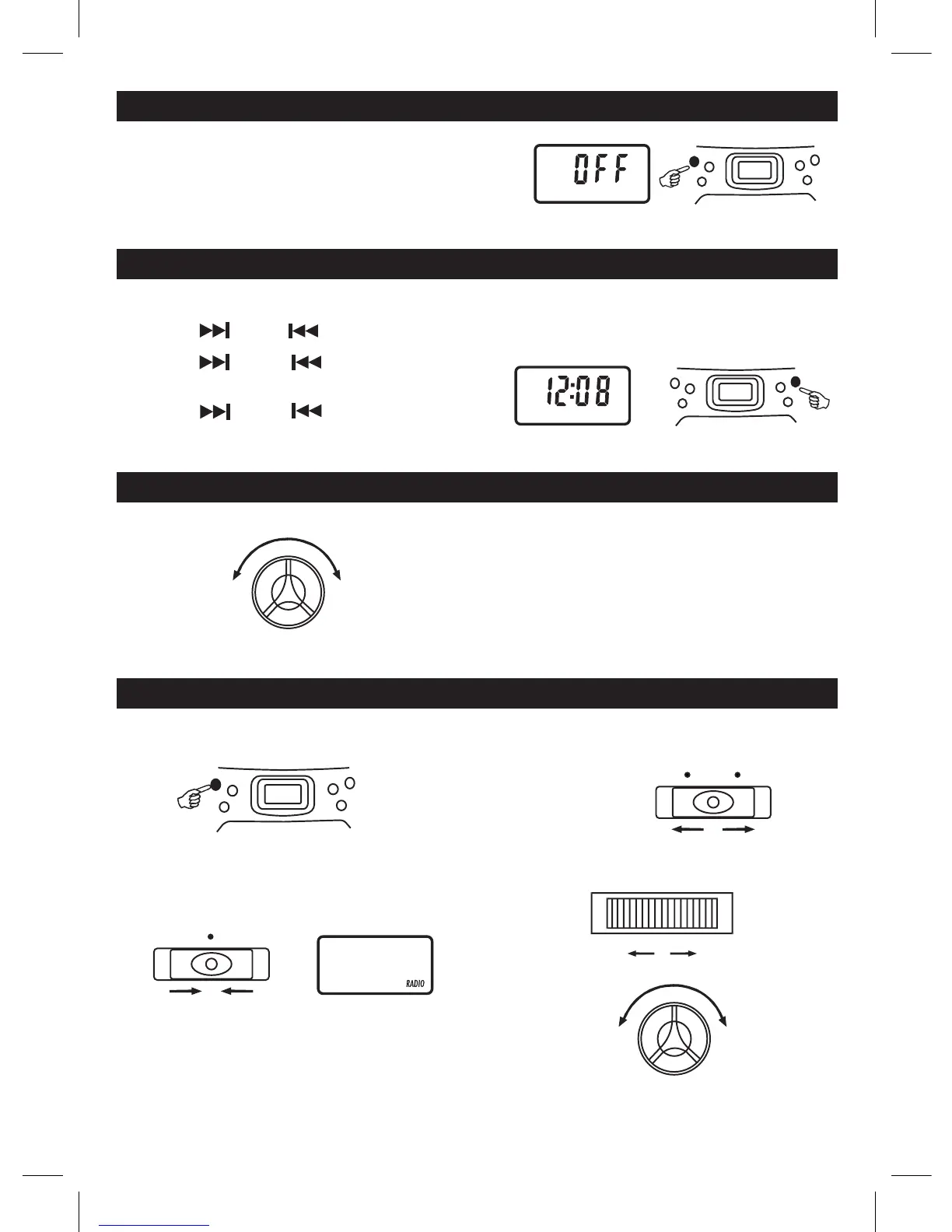
The clock is displayed on LCD display at standby mode.on LCD display at standby mode.
1.PressandholdthePROG/CLOCK-ADJ./PLAYMODEbutton,
2. Press the NEXT or BACK to select 12 hours or 24 hours display.
3. PressthePROG/CLOCK-ADJ./PLAYMODEbutton,the hour digit ash.thehourdigitash.
4. PresstheNEXTorBACKtoadjusthourdigit.
5. PressthePROG/CLOCK-ADJ./PLAYMODEbutton,
theminutedigitash.
6. PresstheNEXTorBACKtoadjustminutedigit.
7. PressthePROG/CLOCK-ADJ./PLAYMODEbuttonagain,
the correct time is shown on display.
GB 2
ADJUSTING THE SOUND
FOR PRIVATE LISTENING
Plug in headphones (ø3.5 mm stereo mini-plug) to the
PHONES jack.
When headphones are plugged in, the speakers are
automatically disconnected.
TO ADJUST THE VOLUME
MIN. MAX.
VOLUME
TURN ON / OFF THE SYSTEM
POWER
CLOCK ADJUSTMENT
CLOCK-ADJ.
LCD display
LISTENING TO THE RADIO
2 . Set to RADIO
FUNCTION
RADIO
1 . Turn on the unit by
pressingthePOWERbutton.
POWER
CD display
3 . Select a MODE.
MODE
FM ST. FM MONO
4 . Tune in to a station.
5 . Adjust the sound.
VOLUME
MIN. MAX.
TUNING
Press the POWER button to turn the audio on.
TochangetheaudiomodebetweenCD,RADIOANDTAPE,
set the FUNCTION switch while the power is on.
The audio mode is displayed.
TurnofftheunitbypressingthePOWERbutton.
" OFF " word will be shown on the display and then resume the current time.



 To Next Page