11
8. AUX IN
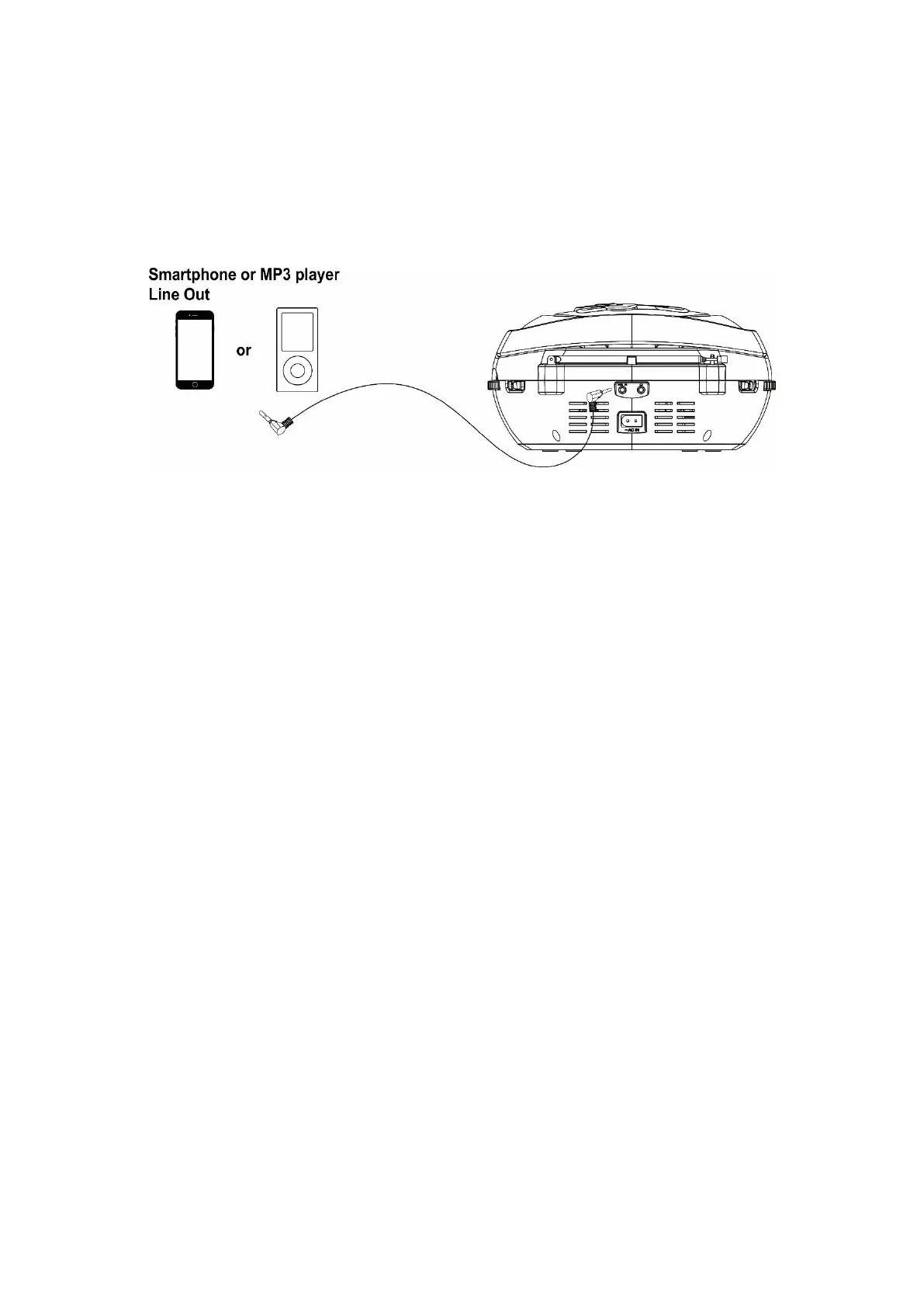
This allows you to connect an external player’s sound through your unit.
1. Plug a 3.5mm audio cable (not included) into your external player’s line out and the other end into the AUX IN jack at
the rear of the unit.
2. The unit will automatically enter AUX mode.
3. Start your external player to play music. The unit will output the sound.
4. To return to another mode, disconnect the audio cable from the unit.



 To Next Page