PROGRAM TRACKS
Programmingtracksofdiscarepossiblewhenplaybackisstopped.Upto20trackscanbestoredin
the memory in any order.
1. In stop mode, press PROG button , the 0andthePROGRAMindicatorwillbeashingonandoffonthedisplay.
2. PressCDSKIP/SEARCHFORWARDbuttontoselecttherstdesiredtracktobeprogrammed.
3. PressPROGbuttontoenter.Thedisplaychangestoshow0anditwillbeashing.
4. Repeatsteps2&3tostoreotherdesiredtracksuntilalltracksareprogrammed.
5. PressPLAY/PAUSEbuttontostartplaybackfromtherstprogrammedtrack.
6. PressSTOPbuttontostopprogramplayback.
Note:Programfunctioncanonlybedoneinstopmode.
To Erase the Memory(Program)
Tocleartheprogram,youmayhavetwoways:
1. Press STOP button when the disc is stopped, or
2. OpentheCDcompartmentlid,programwillbeerased.
" PROGRAM"
LCD display
Note on CD-R/RW discs
- Becauseofnon-standardizedformatdenition/productionofCD-R/RW,
playbackqualityandperformancearenotguaranteed.
- ManufacturerisnotresponsiblefortheplayabilityofCD-R/RWduetorecordingconditions,
suchasPCperformance,writingsoftware,mediaability,etc.
- Do not attach a seal or label to either side of the CD-R/RW disc. It may cause a malfunction.
- ItisrecommendedtorecordonlyaudiolesonCD-R/RWdiscsforeasyreading.
GB 4
REPEAT PLAYBACK
Thisfunctionallowsasingletrackoralltracksonadisctobeplayedrepeatedly.
TO REPEAT THE SAME TRACK
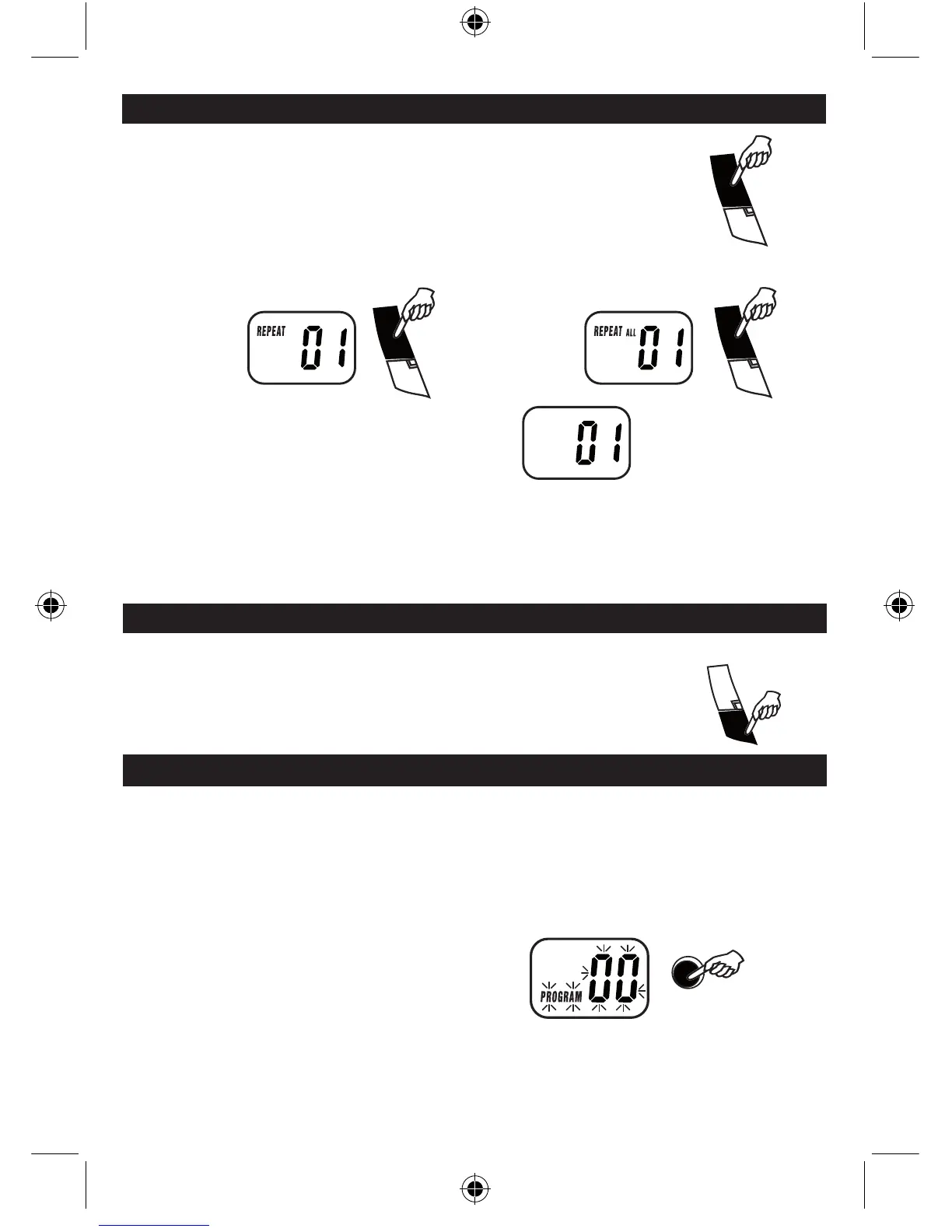
Press the REPEAT button once during playback, Repeat
indicatorwillilluminateandkeepashing.
TO CANCEL REPEAT PLAYBACK FUNCTION
PresstheREPEATbuttonagainuntilrepeatindicatoroff.
TO REPEAT THE WHOLE DISC
Press the REPEAT button twice until repeat indicator
willlighten.
MIX / RANDOM PLAY
PROGRAM PLAYBACK
Press MIX button once, the display will show a " MIX " and play the disc in Mix / Random order automatically.
WhenCDisplayinginMix/Randommode,press"SKIP"toselectanothertrackrandomly.



 To Next Page