EasyManua.ls Logo

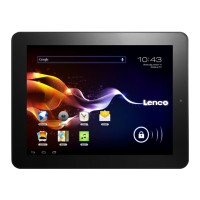
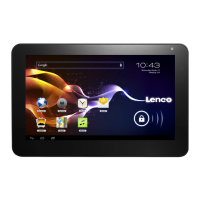
LENCO TAB-703 - User Manual

LENCO TAB-703
171 pages
Print Icon
To Next Page IconTo Next Page
Loading...
English: User manual
Deutch: Bedienungsanleitung
Nederlands: Gebruikershandleiding
Français: Manuel de l’utilisateur
Español: Manual del usuario
Useful links:
Lenco website
Lenco support

Table of Contents

Questions and Answers

  • D
    Danny CrawfordAug 10, 2025
    Why is my LENCO Tablet hot when touched?
    • J
      Jeffrey JenkinsAug 10, 2025
      It's normal for your LENCO Tablet to get hot when using applications that require more power or when using applications for an extended period. This should not affect your tablet’s lifespan or performance.
  • S
    shannonterriAug 16, 2025
    What to do if my LENCO TAB-703 freezes or has fatal errors?
    • A
      Alejandro MorrisonAug 16, 2025
      If your LENCO Tablet freezes or encounters fatal errors, try the following: * Close applications or reset the tablet to regain its functionality. * Close the application with the task manager. * Press and hold the Power key for 8-10 seconds. * Perform a factory data reset.
  • J
    Jessica DunnAug 22, 2025
    What to do if error messages appear when launching the camera on my LENCO Tablet?
    • M
      Misty McguireAug 23, 2025
      If you receive error messages when launching the camera on your LENCO Tablet, try the following: * Charge the battery. * Clear memory by transferring files to a computer or deleting files from your tablet. * Restart the tablet.
  • A
    Adam DavisAug 28, 2025
    How to fix a slow or improperly responding touch screen on my LENCO TAB-703 Tablet?
    • J
      jessicabrownAug 28, 2025
      If the touch screen on your LENCO Tablet responds slowly or improperly: * Remove any protective covers from the touch screen. * Ensure that your hands are clean and dry while tapping the touch screen. * Restart your tablet to clear any temporary software bugs.
  • B
    billycervantesSep 4, 2025
    What to do if error messages appear when opening music files on my LENCO TAB-703?
    • D
      Dennis JohnsonSep 4, 2025
      If you encounter error messages when opening music files on your LENCO Tablet: * Ensure that the music file is not Digital Rights Management (DRM)-protected. * Ensure that your tablet supports the file type.

LENCO TAB-703 Specifications

General IconGeneral
BrandLENCO
ModelTAB-703
CategoryTablet
LanguageEnglish

Related product manuals