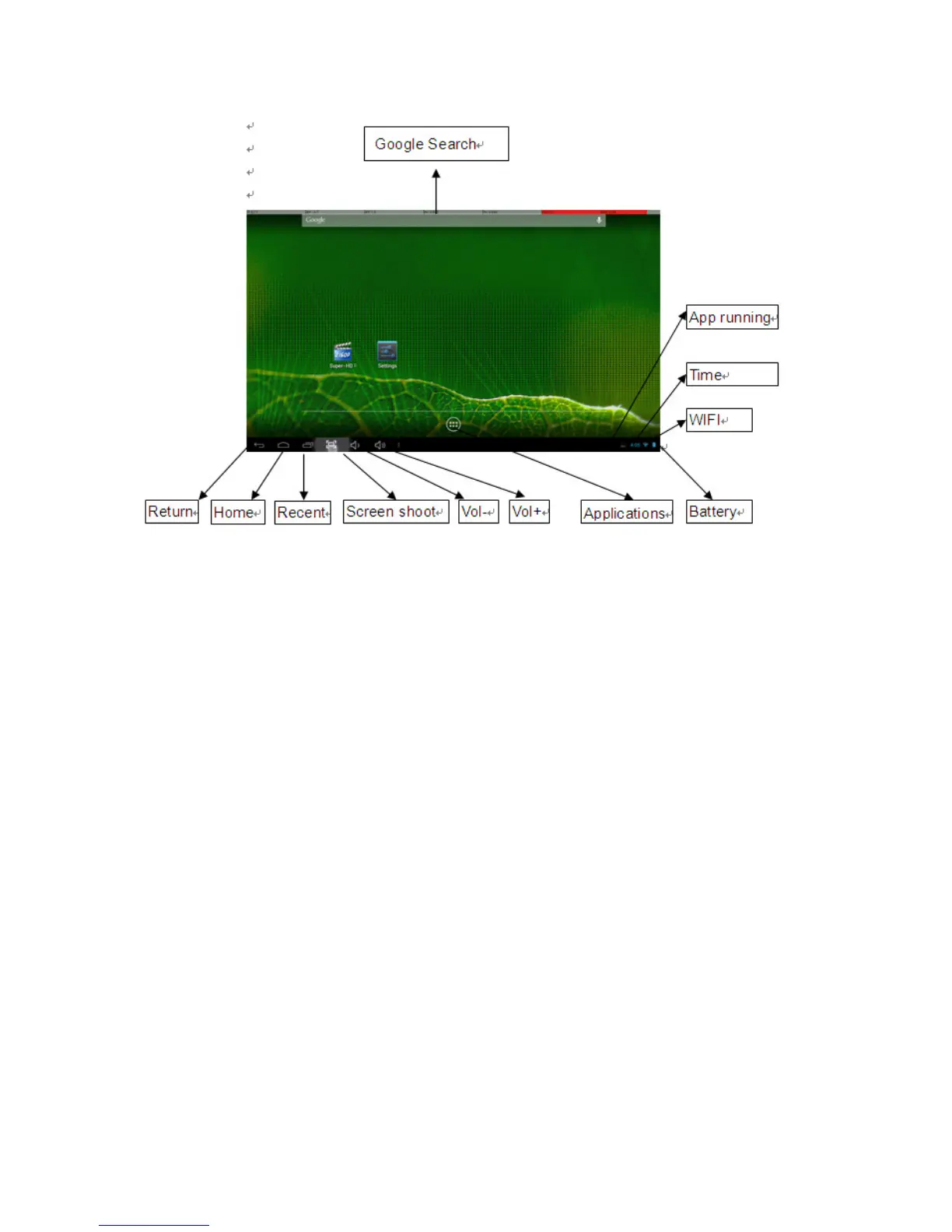
Desktop function menus:
To Launch an Application: Tap once on any application icon to launch it.
To Reposition an Application Icon: Touch, hold and then slide icons to reposition
them on the screen.
To Move an Icon to another Desktop Screen: There are 5 Desktops you can position
icons onto. You can see these by swiping to the left or right. You will see a faint frame
moving to indicate another Desktop. To move an icon from one Desktop to another:
touch, hold and slide icons onto the desired Desktop screen.
To Remove an Icon from the Desktop: Touch and hold the icon until you see an X
appear at the top centre of the screen. Without releasing the icon, slide it onto the X and
it will be deleted from the Desktop.
Note: this does not delete or uninstall the application; it simply removes the icon from
the Desktop.



 To Next Page