11
Channel Search
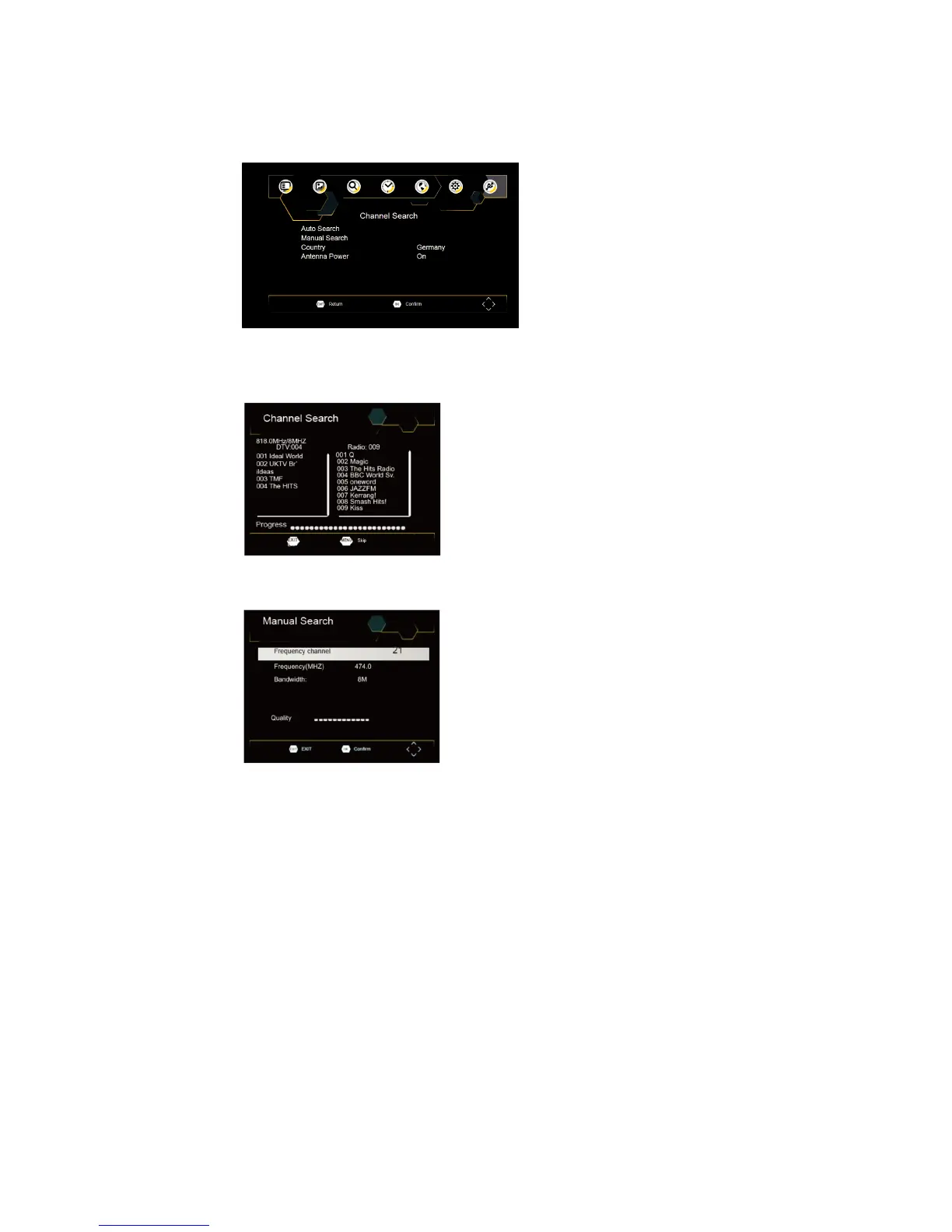
To access the menu, press SETUP and select [Search Channel].
The Menu provides options to adjust the Search Channel settings. Select an option and press RIGHT/LEFT to
adjust the settings.
Press EXIT to exit the Menu.
Auto Search
Search and install all channels automatically. This option overwrites all preset channels.
1. Select [Auto Search] and press OK or RIGHT to start channel search.
2. To cancel channel search, press EXIT.
Manual Search
Install new channels manually. This option adds new channels without changing the current channels list.
1. Select [Manual Search] then press OK or RIGHT. The channel search screen will appear.



 To Next Page