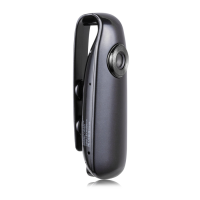
J. Camera setting
(1) Insert a micro SD card into the camera, and connect the camera to your computer using a USB
cable.
(2) Open the SD card and find “settime” document, change its name to “settings”, open it and
delete all contents.
(3) Input numbers according to the following format:
X Y Z
Please notice space between numbers.
When X is 0, it means the video resolution is 1280*720P, 30FPS
When X is 1, it means the video resolution is 1920*1080P, 30FPS
When Y is 0, the camera will turn LOOP RECORDING off.
When Y is 1, the camera will turn LOOP RECORDING on.
When Z is 0, the camera will turn TIME STAMP off. Video will not display date and time.
When Z is 1, the camera will turn TIME STAMP on. Video will display date and time.
(4) Save and exit.
(5) Remove the camera from your computer and turn it on, it will be set to your desired settings.


 To Next Page
 Loading...