EasyManua.ls Logo

Lenovo 07ADA05 - User Manual

Lenovo 07ADA05
122 pages
Print Icon
To Next Page IconTo Next Page
Loading...
User Guide
IdeaCentre 3 (7L, 05)
Question and Answer IconNeed help?

Do you have a question about the Lenovo 07ADA05 and is the answer not in the manual?

Summary

Chapter 1. Meet your computer

Front

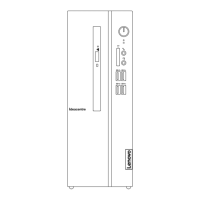
Identifies and describes the front panel components of the computer.

Rear

Identifies and describes the rear panel connectors and ports of the computer.

Features and specifications

Details the hardware, power, microprocessor, memory, storage, expansion, and network features.

Statement on USB transfer rate

Explains actual USB transfer rates based on various factors and device types.

Chapter 2. Get started with your computer

Work with Windows

Guides on basic Windows settings, Wi-Fi, wired networks, and airplane mode.

Windows help information

Provides resources for finding online Windows help and support.

Connect an external display

Instructions for connecting projectors or monitors to expand the workspace.

Lenovo Vantage

Explains the Lenovo Vantage software for system maintenance and support.

Chapter 3. Explore your computer

Manage power

Information on achieving the best balance between performance and power efficiency.

Transfer data

Methods for sharing files using Bluetooth or media cards.

Connect to a Bluetooth-enabled device (for selected models)

Steps to connect Bluetooth devices like keyboards, mice, and speakers.

Use the optical drive (for selected models)

Guidance on installing, removing, and recording discs with the optical drive.

Use a media card (for selected models)

Instructions for installing and removing media cards from the card reader slot.

Lock the computer

Information on securing the computer with locking devices.

Purchase accessories

Details on available hardware accessories and upgrades for the computer.

Chapter 4. CRU replacement

What are CRUs

Defines Customer Replaceable Units (CRUs) and their types.

Replace AC Power Adapter

Step-by-step procedure for replacing the AC power adapter.

Replace Computer Cover

Instructions for removing and reinstalling the computer cover.

Replace Front Bezel

Steps to remove and install the front bezel of the computer.

Replace Optical Drive

Procedure for removing and installing the optical drive.

Replace Storage Drive

Instructions for removing and installing the computer's storage drive.

Replace M.2 Solid-State Drive

Steps for replacing the M.2 solid-state drive (2280 and 2242 models).

Replace Coin-Cell Battery

Procedure for replacing the coin-cell battery that maintains system settings.

Replace Memory Module

Instructions for removing and installing memory modules.

Replace Wi-Fi Card

Steps for removing and installing the Wi-Fi card.

Chapter 5. Help and support

Frequently asked questions

Addresses common user queries regarding storage, system responsiveness, and liquid spills.

Self-help resources

Provides links and information for troubleshooting and accessing support documentation.

Contacting Lenovo Support

Guidance on preparing for and contacting Lenovo customer support.

Purchase additional services

Information on acquiring extended warranty and other support services.

Appendix A. Important safety information

Safety notices

General safety information for using the computer and reducing risks.

Conditions that require immediate action

Describes hazardous conditions and immediate actions to take for safety.

Service and upgrades

Guidelines and warnings regarding servicing and upgrading computer components.

Power cords and power adapters

Safety precautions for using power cords and adapters.

Lithium coin-cell battery notice

Warnings and handling instructions for lithium coin-cell batteries.

Electrical current safety information

Safety information related to electrical currents and connections.

Appendix B. Accessibility and ergonomic information

Accessibility information

Lenovo's commitment to accessibility and resources for users with disabilities.

Ergonomic information

Guidelines for comfortable and safe computer usage, including posture and display settings.

Appendix C. Compliance information

Radio frequency compliance statements

Compliance with radio frequency and safety standards for wireless devices.

European Union (EU); United Kingdom (UK) - Radio Equipment Compliance

Conformance with EU and UK radio equipment directives.

Restriction of Hazardous Substances (RoHS) Directive of countries and regions

Information on RoHS compliance for various countries and regions.

Federal Communications Commission (FCC) Supplier’s Declaration of Conformity

FCC compliance statement for Class B digital devices.

German Class B compliance statement

German statement regarding compliance with Class B electromagnetic compatibility.

ENERGY STAR model information

Information about ENERGY STAR certification and energy efficiency.

Appendix D. Notices and trademarks

Notices

Important legal notices, warranty disclaimers, and software usage terms.

Trademarks

Lists of trademarks owned by Lenovo and third parties.

Summary

Chapter 1. Meet your computer

Front

Identifies and describes the front panel components of the computer.

Rear

Identifies and describes the rear panel connectors and ports of the computer.

Features and specifications

Details the hardware, power, microprocessor, memory, storage, expansion, and network features.

Statement on USB transfer rate

Explains actual USB transfer rates based on various factors and device types.

Chapter 2. Get started with your computer

Work with Windows

Guides on basic Windows settings, Wi-Fi, wired networks, and airplane mode.

Windows help information

Provides resources for finding online Windows help and support.

Connect an external display

Instructions for connecting projectors or monitors to expand the workspace.

Lenovo Vantage

Explains the Lenovo Vantage software for system maintenance and support.

Chapter 3. Explore your computer

Manage power

Information on achieving the best balance between performance and power efficiency.

Transfer data

Methods for sharing files using Bluetooth or media cards.

Connect to a Bluetooth-enabled device (for selected models)

Steps to connect Bluetooth devices like keyboards, mice, and speakers.

Use the optical drive (for selected models)

Guidance on installing, removing, and recording discs with the optical drive.

Use a media card (for selected models)

Instructions for installing and removing media cards from the card reader slot.

Lock the computer

Information on securing the computer with locking devices.

Purchase accessories

Details on available hardware accessories and upgrades for the computer.

Chapter 4. CRU replacement

What are CRUs

Defines Customer Replaceable Units (CRUs) and their types.

Replace AC Power Adapter

Step-by-step procedure for replacing the AC power adapter.

Replace Computer Cover

Instructions for removing and reinstalling the computer cover.

Replace Front Bezel

Steps to remove and install the front bezel of the computer.

Replace Optical Drive

Procedure for removing and installing the optical drive.

Replace Storage Drive

Instructions for removing and installing the computer's storage drive.

Replace M.2 Solid-State Drive

Steps for replacing the M.2 solid-state drive (2280 and 2242 models).

Replace Coin-Cell Battery

Procedure for replacing the coin-cell battery that maintains system settings.

Replace Memory Module

Instructions for removing and installing memory modules.

Replace Wi-Fi Card

Steps for removing and installing the Wi-Fi card.

Chapter 5. Help and support

Frequently asked questions

Addresses common user queries regarding storage, system responsiveness, and liquid spills.

Self-help resources

Provides links and information for troubleshooting and accessing support documentation.

Contacting Lenovo Support

Guidance on preparing for and contacting Lenovo customer support.

Purchase additional services

Information on acquiring extended warranty and other support services.

Appendix A. Important safety information

Safety notices

General safety information for using the computer and reducing risks.

Conditions that require immediate action

Describes hazardous conditions and immediate actions to take for safety.

Service and upgrades

Guidelines and warnings regarding servicing and upgrading computer components.

Power cords and power adapters

Safety precautions for using power cords and adapters.

Lithium coin-cell battery notice

Warnings and handling instructions for lithium coin-cell batteries.

Electrical current safety information

Safety information related to electrical currents and connections.

Appendix B. Accessibility and ergonomic information

Accessibility information

Lenovo's commitment to accessibility and resources for users with disabilities.

Ergonomic information

Guidelines for comfortable and safe computer usage, including posture and display settings.

Appendix C. Compliance information

Radio frequency compliance statements

Compliance with radio frequency and safety standards for wireless devices.

European Union (EU); United Kingdom (UK) - Radio Equipment Compliance

Conformance with EU and UK radio equipment directives.

Restriction of Hazardous Substances (RoHS) Directive of countries and regions

Information on RoHS compliance for various countries and regions.

Federal Communications Commission (FCC) Supplier’s Declaration of Conformity

FCC compliance statement for Class B digital devices.

German Class B compliance statement

German statement regarding compliance with Class B electromagnetic compatibility.

ENERGY STAR model information

Information about ENERGY STAR certification and energy efficiency.

Appendix D. Notices and trademarks

Notices

Important legal notices, warranty disclaimers, and software usage terms.

Trademarks

Lists of trademarks owned by Lenovo and third parties.

Lenovo 07ADA05 Specifications

General IconGeneral
CategoryDesktop
RAM4GB DDR4
Storage1 TB HDD
Operating SystemWindows 10
GraphicsAMD Radeon Graphics
Ports2 x USB 2.0, HDMI
Wireless802.11ac Wi-Fi, Bluetooth 4.2

Related product manuals