Appendix. CRU instructions
29
To replace the hard disk drive, do the following:
1
Turn off the computer; then disconnect the AC adapter and all cables from the computer.
2
Close the computer display, and then turn the computer over.
3
Remove the battery pack.
4
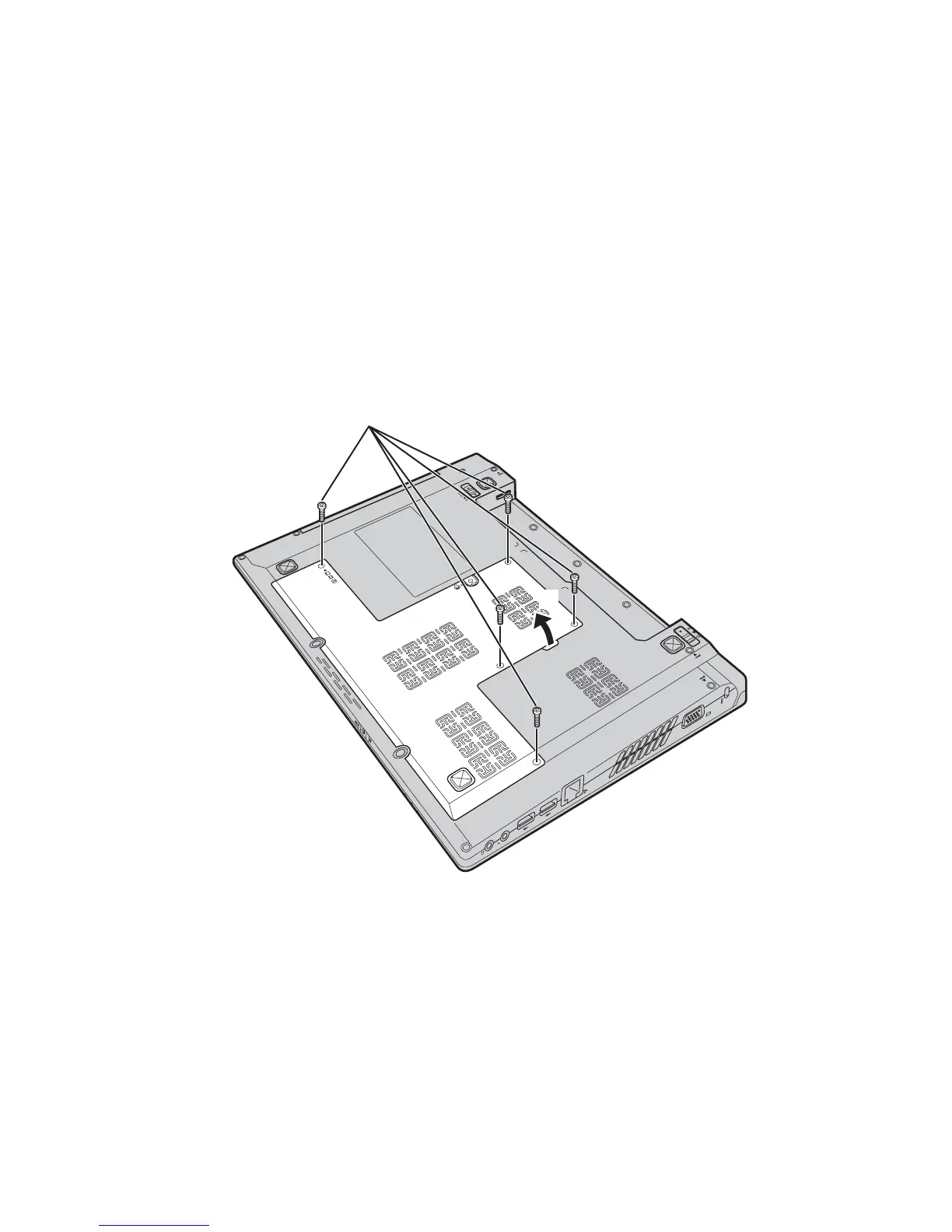
Remove the Hard disk drive (HDD)/Memory/Mini PCI Express Card slot compartment
cover.
a. Loosen the screws that secure the compartment cover .
b. Remove the compartment cover .
a
b
b
a



 To Next Page