Chapter 1. Getting to know your computer
3
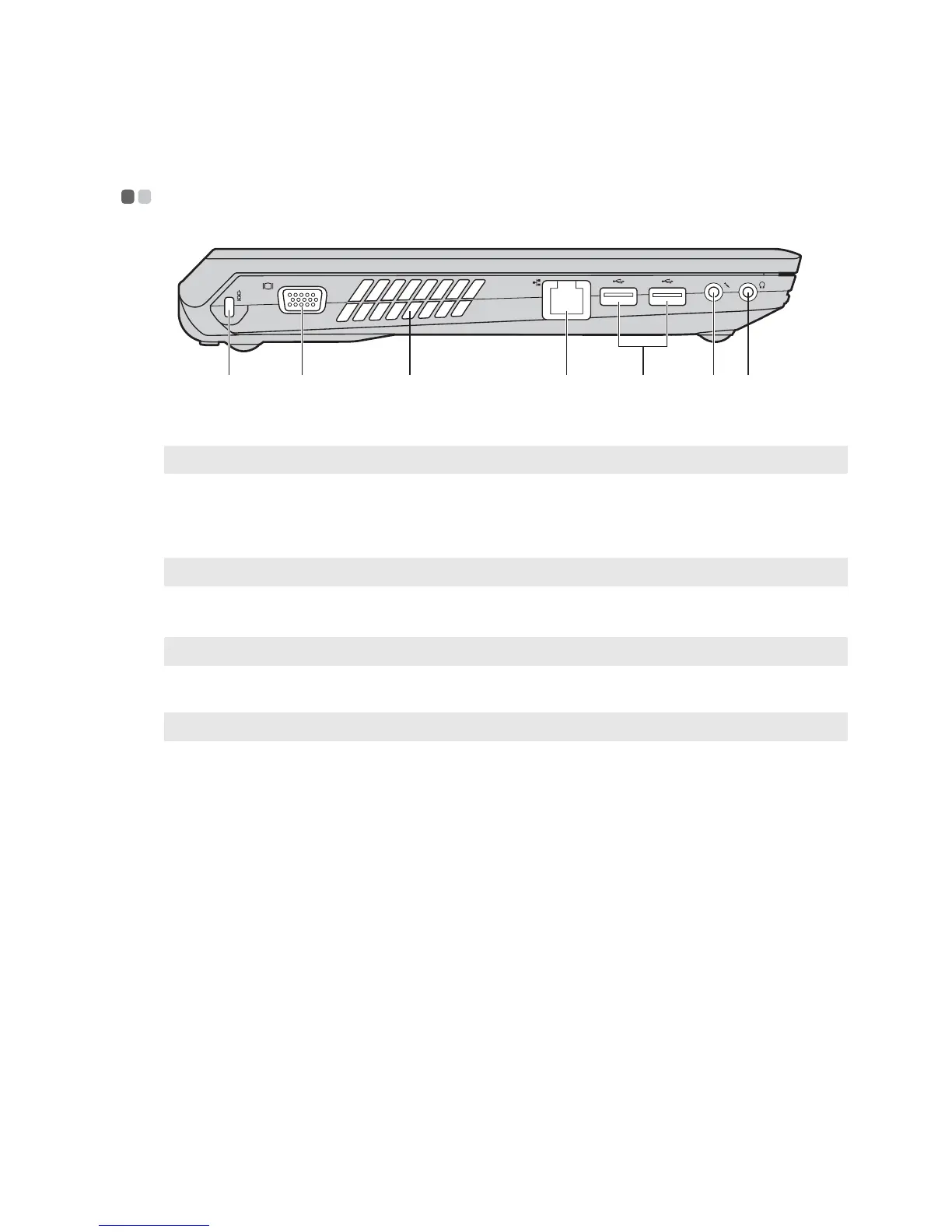
Left-side view - - - - - - - - - - - - - - - - - - - - - - - - - - - - - - - - - - - - - - - - - - - - - - - - - - - - - - - - - - - - - - - - - - - - - - - - - - - - - - - - - - - - - - - - - - - - - - - - - - - - - - - - - - - - - -
Kensington slot
Attach a security lock (not supplied) here.
Note: For details, see “Attaching a security lock (not supplied)” on page 16.
VGA port
Connects to external display devices.
Fan louvers
Dissipate internal heat.
Note: Make sure that none of the fan louvers are blocked or else overheating of the computer may occur.
RJ-45 port
This port connects the computer to an Ethernet network.
Note: For details, see “Wired connection” on page 17.
USB port
Connects to USB devices.
Note: For details, see “Connecting USB devices” on page 13.
Microphone jack
Connects to external microphones.
Headphone jack
Connects to external headphones.
Attention:
• Listening to music at high volume over extended periods of time may damage your hearing.
edfgbac
a
b
c
d
e
f
g



 To Next Page