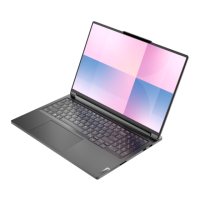
This document is a Hardware Maintenance Manual for the Lenovo ThinkBook 16p Gen 2, specifically for machine type (MT) 20YM. It serves as a comprehensive guide for trained service technicians, providing detailed instructions and safety information for servicing and maintaining the specified Lenovo notebook computer.
Function Description:
The manual outlines procedures for identifying, removing, and replacing various Field Replaceable Units (FRUs) and Customer Replaceable Units (CRUs) within the ThinkBook 16p Gen 2. It covers a wide range of components, from external parts like the lower case and LCD module to internal components such as the system board, battery pack, storage drives, and various sensor boards. The primary function is to enable authorized technicians to perform repairs and maintenance safely and effectively, ensuring the continued operation and longevity of the device. It also provides crucial safety information to prevent injury to personnel and damage to the equipment during servicing.
Important Technical Specifications:
While the manual does not list the full technical specifications of the ThinkBook 16p Gen 2 itself, it details the specifications for various internal components and tools required for maintenance. For instance, it specifies screw types and quantities for different parts, such as M2.0 x L6.0 screws for the lower case (8 screws), M2.0 x L3.5 screws for the solid-state drive module (2 screws) and battery pack (4 screws), M1.6 x L3.5 screws for the USB board (1 screw), M1.2 x L2.0 screws for the fingerprint board (2 screws), and M2.5 x L5.0 screws for the heat sink (6 screws). It also mentions the use of Intel Xeon CPUs in relation to T30 screw drivers, indicating the processor type for some configurations. The manual implicitly covers the physical layout and interconnections of the internal hardware, providing an exploded view of the main unit and the LCD module. It also references specific Lenovo part numbers for replacement components, which can be looked up via a provided URL.
Usage Features:
The manual is intended for use by trained service technicians. Key usage features include:
- Step-by-step removal procedures: Each FRU/CRU removal section provides clear, numbered steps accompanied by illustrations with callouts and arrows to guide the technician.
- Screw specifications: Detailed screw types and quantities are provided for each component, ensuring correct reassembly.
- Notes and attentions: Important warnings, such as non-reusability of certain parts (e.g., SSD Thermalpads, memory module mylar, removable tape, camera rubber, microphone rubbers) and ESD precautions, are highlighted to ensure proper handling and replacement.
- FRU/CRU identification: Exploded views and tables help technicians identify specific components and their categories.
- Golden Key U1 tool instructions: Guidance is provided for using a Golden Key U1 tool to flash-write key ID information (SN, MT, PN, UUID) to a new system board after replacement, indicating a specific software/firmware update procedure.
- Parts lookup reference: URLs are provided to look up Lenovo part numbers for replacement components, streamlining the ordering process.
- Multilingual safety notices: Safety warnings are translated into multiple languages (English, Arabic, Brazilian Portuguese, French, German, Hebrew, Japanese, Korean, Spanish, Traditional Chinese) to ensure broad understanding and compliance.
Maintenance Features:
The manual is entirely focused on maintenance, offering a structured approach to servicing the ThinkBook 16p Gen 2:
- Safety information: A dedicated chapter emphasizes general safety, electrical safety, and electrostatic discharge (ESD) precautions, which are paramount for protecting both personnel and sensitive electronic components. It includes guidelines for lifting heavy objects, working with electrical equipment, and handling ESD-sensitive parts.
- Service tools list: A table lists recommended service tools and consumables (e.g., various screwdrivers, pry tools, tweezers, silicone grease, different types of tape, eraser, heat gun, brown brush), indicating which are applicable for the product.
- General guidelines for FRU/CRU replacement: Instructions cover proper training, sequential removal of dependent FRUs, careful retention and reuse of screws, and reapplication of labels.
- Pre-service checklist: A checklist is provided to identify potentially unsafe conditions before starting any service task, including checks for external damage, power disconnection, power cord condition, battery integrity, and internal contamination.
- Warranty coverage information: Details are provided on what types of damage are typically not covered under warranty (e.g., cracked LCD, scratched parts, liquid damage, improper insertion of cards), helping technicians determine service eligibility.
- Specific component removal and replacement: Detailed procedures are given for numerous components, including the lower case, solid-state drive (SSD) module, battery pack, Wi-Fi card, DC-in bracket, memory module, heat sink, fans, USB board module, CMOS battery, speakers, touchpad board cable, system board, fingerprint board module, hall sensor board module, keyboard cable, connector board module, strip cover, and the entire LCD module (with subsequent disassembly into bezel, panel, hinge cover, EDP cable, ALS board, camera privacy shutter, microphone rubbers, camera sponges, camera, foil, LCD sponge, camera rubber, and LCD cover).
- Non-reusable parts identification: The manual explicitly states which parts are not reusable and must be replaced during servicing, ensuring optimal performance and safety after repair.
- Color calibration for LCD panels: For LCD panels with factory color calibration, specific instructions are provided for downloading and installing new color profiles after replacement, ensuring accurate display output.

 Need help?





 To Next Page

 General