7
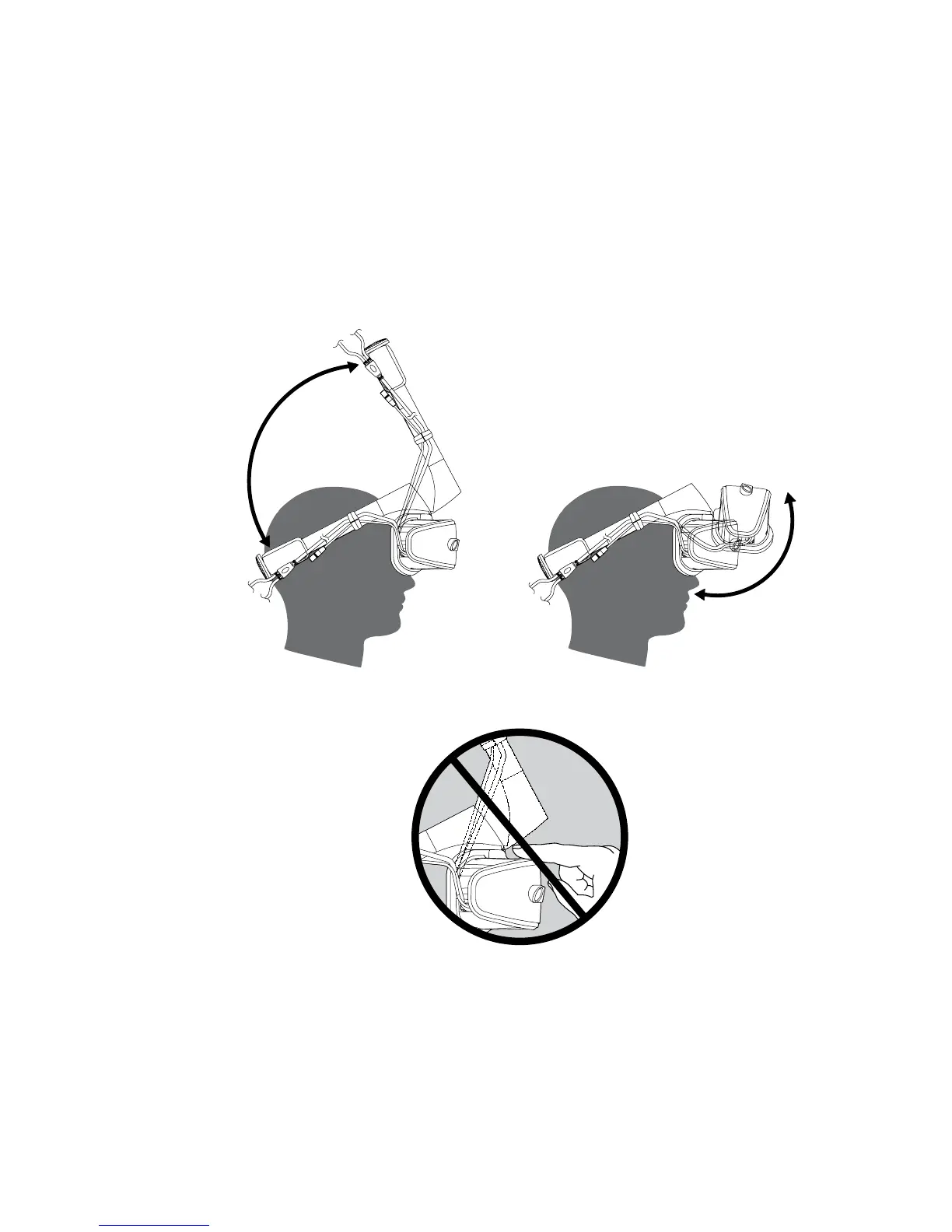
(2) Use either method to wear the Lenovo Explorer headset:
• Pivot the head strap up, fit the viewer to your eyes, and then pivot the head
strap down as shown in the illustration A.
• Pivot the viewer up, put the head strap on your head, and then pivot the viewer
down to cover your eyes as shown in the illustration B.
Attention: When pivoting the head strap or viewer, do not apply excessive force
or attempt to adjust the viewer beyond the 90-degree limits.
Then you can slightly adjust the head-strap adjustment knob, head strap, and
viewer for a comfortable fit.
To see your physical surroundings without removing the Lenovo Explorer headset,
pivot the viewer up as shown in the illustration B.
C
AUTION: To avoid pinching your fingers, keep your fingers away from the viewer
hinge while pivoting the viewer.


 To Next Page