9
Chapter 6. Enhancing the Lenovo Explorer
The motion controllers help to enhance your Lenovo Explorer headset experience.
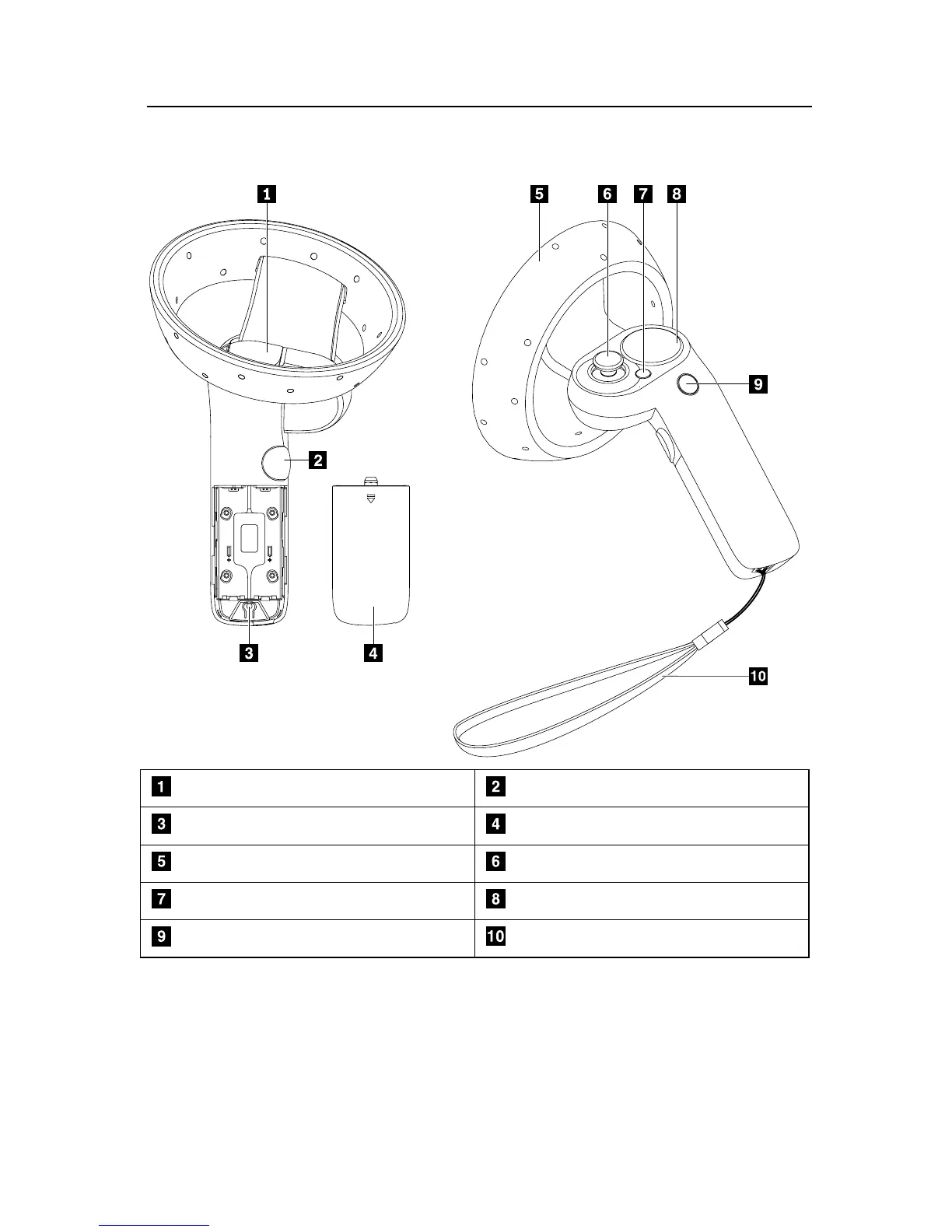
Parts and locations
Trigger button Grab button
Pairing button Battery compartment cover
Constellation Thumbstick
Menu button Touchpad
Windows button Controller strap
Notes:
• To turn on the motion controller, press and hold the Windows button until the constellation
lights are on. To turn off the motion controller, press and hold the Windows button until
the constellation lights are off.
• When using the motion controllers, it is recommended that you wear the straps on your
wrists to avoid dropping the motion controllers by accident.


 To Next Page