22
Chapter 2. Starting to use Windows 8.1
Shutting down the computer
If you are not going to use your computer for a long time, shut it down.
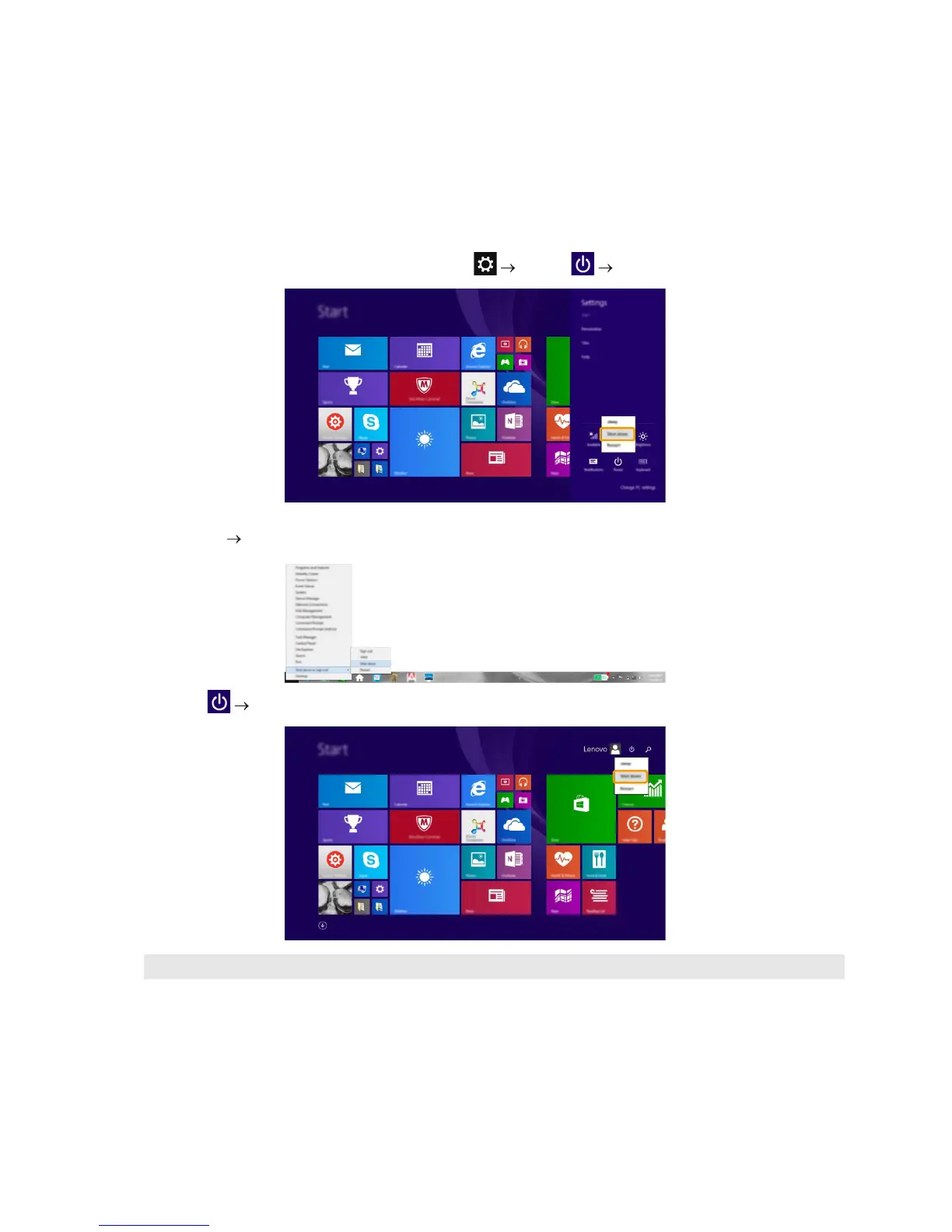
To shut down the computer, do one of the following:
• Open the charms, and then select Settings Power Shut down.
• Press and hold or right-click the Start button in the lower-left corner and select Shut down or
sign out Shut down.
• Select Shut down in the upper-right corner of the Start screen.
Note: The operation depends on the BIOS setup. Please refer to the actual product.







 To Next Page