26
Chapter 2. Starting to use Windows 8.1
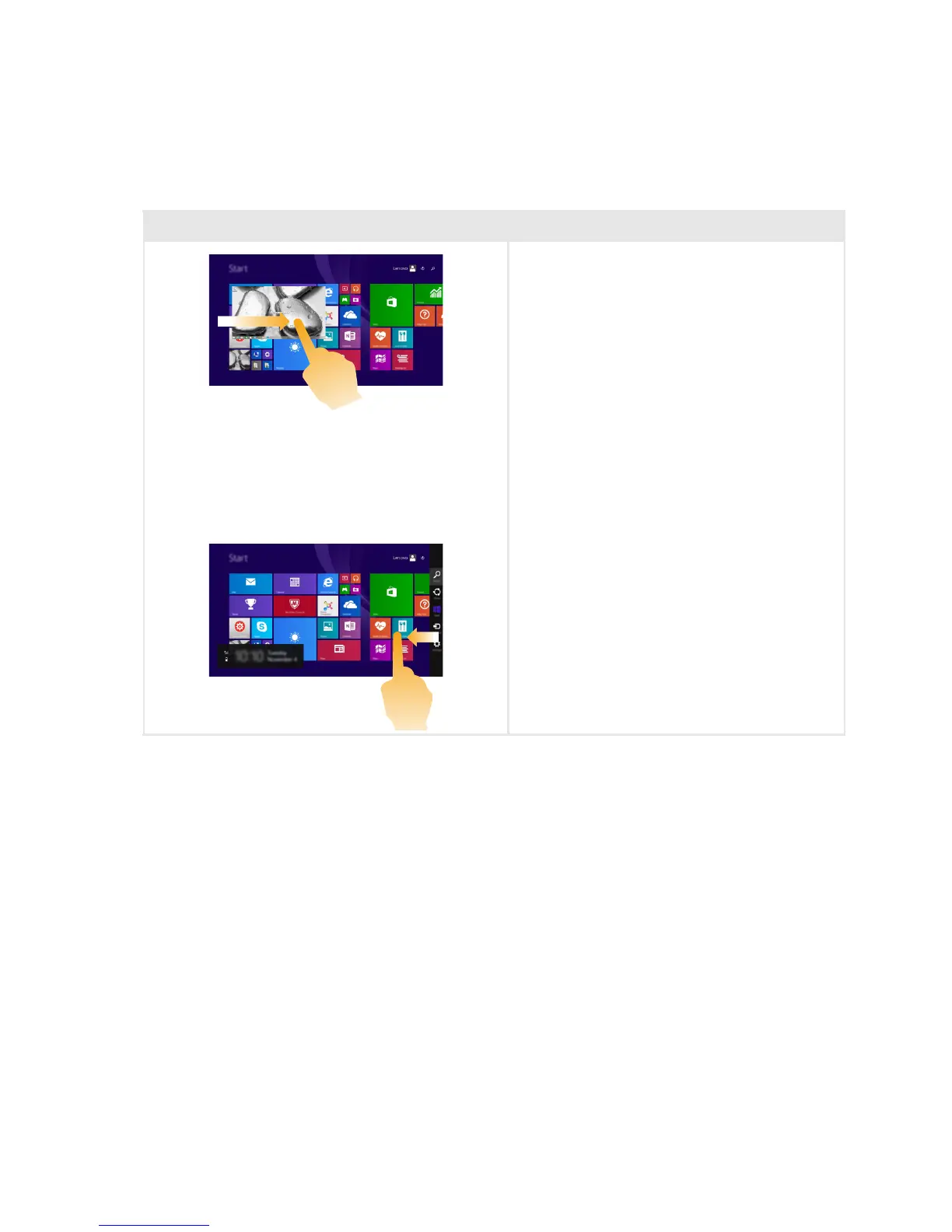
Swiping in from the left edge can:
• Bring in and open an app currently
running in the background.
If there is more than one currently open
app, you can:
• Swipe in from the left to bring in an app
and, without lifting your finger, push that
app quickly back off the left edge of the
screen. This displays a list of the apps
currently running in the background.
Swiping in from the right edge of the screen
displays the charms.
(continued)
Frequently used gestures Tasks performed







 To Next Page