2
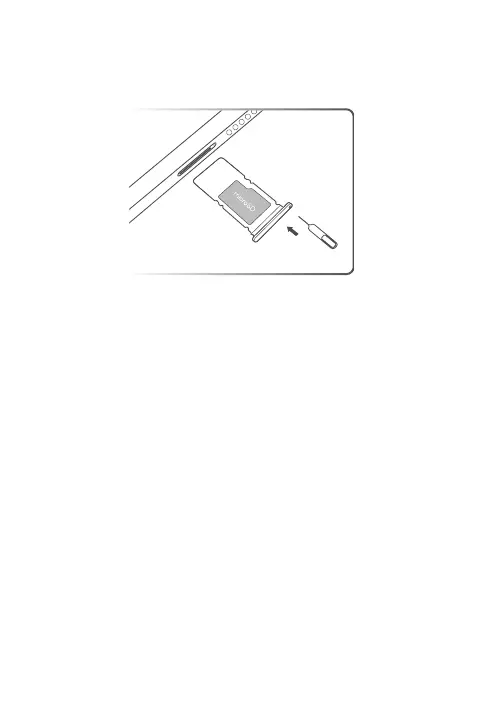
Install cards
Turn o your device before inserting or removing a card.
Charge your device
For environmental reasons this package may not include a charger in certain
countries or regions. This device can be powered with most USB power adapters
and a cable with USB Type-C plug. Use a USB Power Delivery compliant charger
that supports power output no less than 15 W for tablet charging.
It is recommended to use a charger that complies with applicable national/
regional regulations for mobile device adapters. Only use a charger that complies
with international and regional safety standards (such as EN/IEC/UL 62368-1) for
charging. Other chargers may not comply with applicable safety standards, and
using such chargers to charge may result in injury or death.
Help and more
To get more information and download the User Guide, go to
https://support.lenovo.com.


 To Next Page