EasyManua.ls Logo

Lenovo ideapad 110S - User Manual

Lenovo ideapad 110S
28 pages
Print Icon
To Next Page IconTo Next Page
Loading...
Lenovo
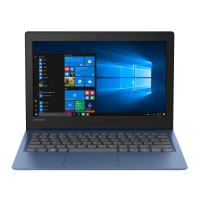
ideapad 110S
ideapad 110S-11IBR
User Guide
Read the safety notices and important tips in the
included manuals before using your computer.
Question and Answer IconNeed help?

Do you have a question about the Lenovo ideapad 110S and is the answer not in the manual?

Summary

Chapter 1. Getting to know your computer

Hardware Identification

Identifies and describes physical components and ports on the computer's exterior.

Keyboard and Hotkey Functions

Explains keyboard usage, function keys, and hotkeys for system control.

External Device Connections

Instructions for connecting micro SD cards and USB devices to the computer.

Chapter 2. Starting to use Windows 10

Initial System Setup and Interface

Steps for initial OS setup and overview of the Windows 10 interface.

Basic System Operations

Covers managing power states and desktop tasks in Windows 10.

Network Connectivity

Guide to enabling wireless functions and connecting to available wireless networks.

Chapter 3. Recovery system

System Recovery and Reset

Overview of recovery tools like push-button reset, refresh, and reset for system restoration.

Partition and Software Management

Explains software uninstallation issues and the importance of the Recovery Partition.

Chapter 4. Troubleshooting

Common Issues and BIOS

Addresses common questions, driver information, and BIOS setup utility operations.

Display and Power Troubleshooting

Solutions for screen display, BIOS password, and computer sleep mode issues.

Audio, Storage, and Startup Issues

Solutions for sound, battery, hard disk, and operating system startup problems.

Trademarks

Legal and Brand Information

Lists registered trademarks of Lenovo and Microsoft relevant to the product.

Summary

Chapter 1. Getting to know your computer

Hardware Identification

Identifies and describes physical components and ports on the computer's exterior.

Keyboard and Hotkey Functions

Explains keyboard usage, function keys, and hotkeys for system control.

External Device Connections

Instructions for connecting micro SD cards and USB devices to the computer.

Chapter 2. Starting to use Windows 10

Initial System Setup and Interface

Steps for initial OS setup and overview of the Windows 10 interface.

Basic System Operations

Covers managing power states and desktop tasks in Windows 10.

Network Connectivity

Guide to enabling wireless functions and connecting to available wireless networks.

Chapter 3. Recovery system

System Recovery and Reset

Overview of recovery tools like push-button reset, refresh, and reset for system restoration.

Partition and Software Management

Explains software uninstallation issues and the importance of the Recovery Partition.

Chapter 4. Troubleshooting

Common Issues and BIOS

Addresses common questions, driver information, and BIOS setup utility operations.

Display and Power Troubleshooting

Solutions for screen display, BIOS password, and computer sleep mode issues.

Audio, Storage, and Startup Issues

Solutions for sound, battery, hard disk, and operating system startup problems.

Trademarks

Legal and Brand Information

Lists registered trademarks of Lenovo and Microsoft relevant to the product.

Lenovo ideapad 110S Specifications

General IconGeneral
ProcessorIntel Celeron N3060
Storage32GB eMMC
Display11.6-inch HD (1366 x 768)
Operating SystemWindows 10 Home
Battery LifeUp to 8 hours
Battery2-cell Li-ion
GraphicsIntel HD Graphics 400
Wireless802.11 ac
BluetoothBluetooth 4.0
RAM2GB
Dimensions292 x 202 x 17.8 mm (11.5 x 7.95 x 0.7 inches)
Ports2 x USB 2.0, HDMI, microSD card reader

Related product manuals