EasyManua.ls Logo

Lenovo IdeaPad N586 - User Manual

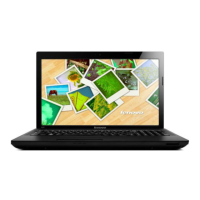
Lenovo IdeaPad N586
53 pages
Print Icon
To Next Page IconTo Next Page
Loading...
Read the safety notices and important tips in the
included manuals before using your computer.
©Lenovo China 2012
User Guide V2.0
V2.0_en-US
Lenovo IdeaPad
P580/P585/N580/
N581/N585/N586

Other manuals for Lenovo IdeaPad N586

Question and Answer IconNeed help?

Do you have a question about the Lenovo IdeaPad N586 and is the answer not in the manual?

Summary

Chapter 2. Learning the basics

Configuring the operating system for the first time

Guides users through initial setup steps like license agreement, internet connection, and user account creation.

Putting the computer to sleep or shutting it down

Provides instructions on how to conserve power by putting the computer into sleep mode or performing a full shutdown.

Chapter 3. Connecting to the Internet

Chapter 4. Lenovo OneKey Recovery system

Backing up the system partition

Guides users on creating backup image files of the system partition for data protection and recovery.

Restoring

Explains how to restore the computer system to its original status or a previous backup point using the OneKey Recovery system.

Chapter 5. Troubleshooting

Troubleshooting

Offers solutions for common problems like display issues, password loss, sleep mode failures, sound problems, and battery malfunctions.

Appendix A. CRU instructions

Replacing the battery

Provides step-by-step instructions for safely removing and installing the laptop battery pack.

Replacing the hard disk drive

Details the procedure for replacing the computer's hard disk drive, including handling precautions and removal steps.

Replacing memory

Explains how to install additional DDR3 SDRAM memory modules into the computer's memory slots.

Replacing the wireless LAN card

Guides users through the process of replacing the computer's wireless LAN card, including cable connections.

Summary

Chapter 2. Learning the basics

Configuring the operating system for the first time

Guides users through initial setup steps like license agreement, internet connection, and user account creation.

Putting the computer to sleep or shutting it down

Provides instructions on how to conserve power by putting the computer into sleep mode or performing a full shutdown.

Chapter 3. Connecting to the Internet

Chapter 4. Lenovo OneKey Recovery system

Backing up the system partition

Guides users on creating backup image files of the system partition for data protection and recovery.

Restoring

Explains how to restore the computer system to its original status or a previous backup point using the OneKey Recovery system.

Chapter 5. Troubleshooting

Troubleshooting

Offers solutions for common problems like display issues, password loss, sleep mode failures, sound problems, and battery malfunctions.

Appendix A. CRU instructions

Replacing the battery

Provides step-by-step instructions for safely removing and installing the laptop battery pack.

Replacing the hard disk drive

Details the procedure for replacing the computer's hard disk drive, including handling precautions and removal steps.

Replacing memory

Explains how to install additional DDR3 SDRAM memory modules into the computer's memory slots.

Replacing the wireless LAN card

Guides users through the process of replacing the computer's wireless LAN card, including cable connections.

Lenovo IdeaPad N586 Specifications

General IconGeneral
RAM4GB DDR3
Storage500GB HDD
Display15.6-inch HD (1366 x 768)
Operating SystemWindows 8
Battery6-cell Lithium-Ion

Related product manuals