Chapter 1. Getting to know your computer
5
Right-side view - - - - - - - - - - - - - - - - - - - - - - - - - - - - - - - - - - - - - - - - - - - - - - - - - - - - - - - - - - - - - - - - - - - - - - - - - - - - - - - - - -
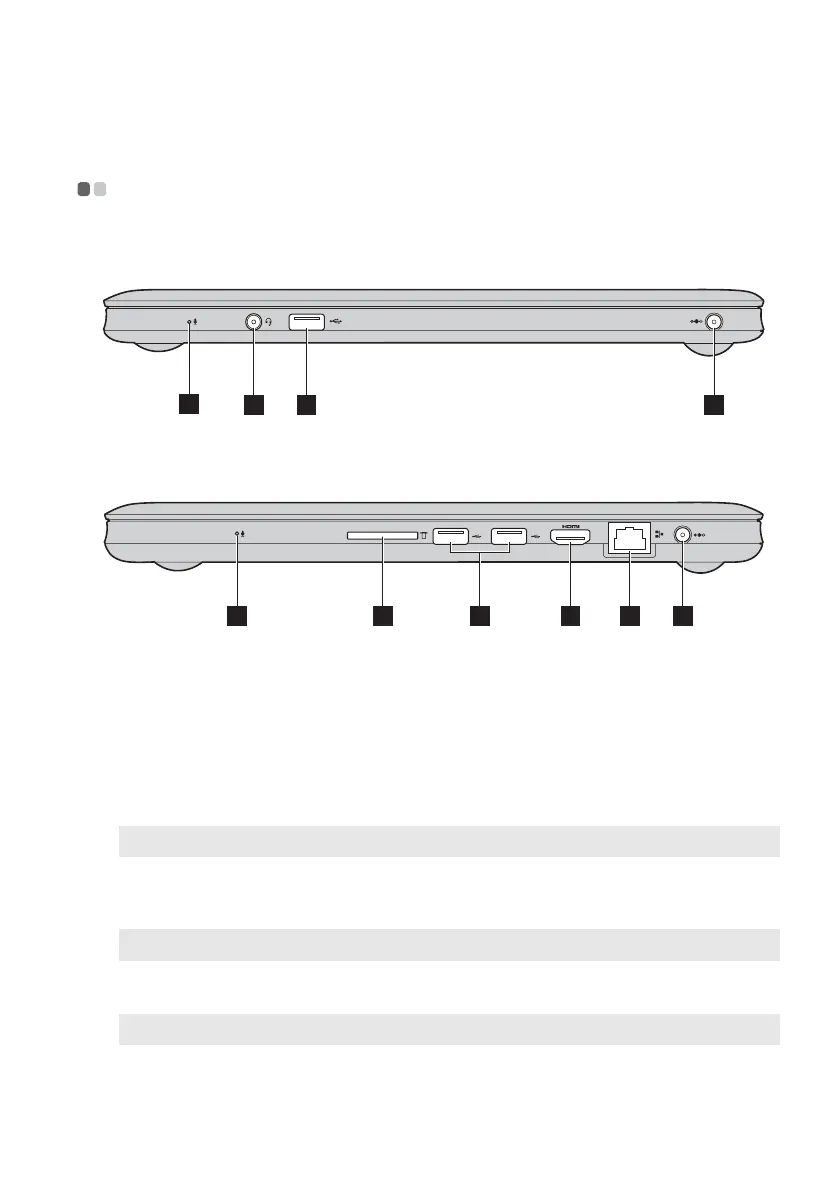
U310
U410
Built-in
microphone
The built-in microphone (with noise reduction) can be
used for video conferencing, voice narration, or simple
audio recordings.
Combo audio
jack
Connects to headphones or headsets. The combo audio
jack does not support conventional microphones.
USB 3.0 port
Connects to USB devices.
Note: For details, see “Connecting USB devices” on page 15.
AC power adapter
jack
Connect the AC adapter here.
Note: For details, see “Using AC adapter and battery” on page 12.
Memory card slot
Insert memory cards (not supplied) here.
Note: For details, see “Using memory cards (not supplied)” on page 14.
HDMI port
Connects to devices with HDMI input such as a TV or a
display.
1
4
2 3
1 3 6 7 45
a
b
c
d
e
f









 To Next Page