Camera
Camera basics
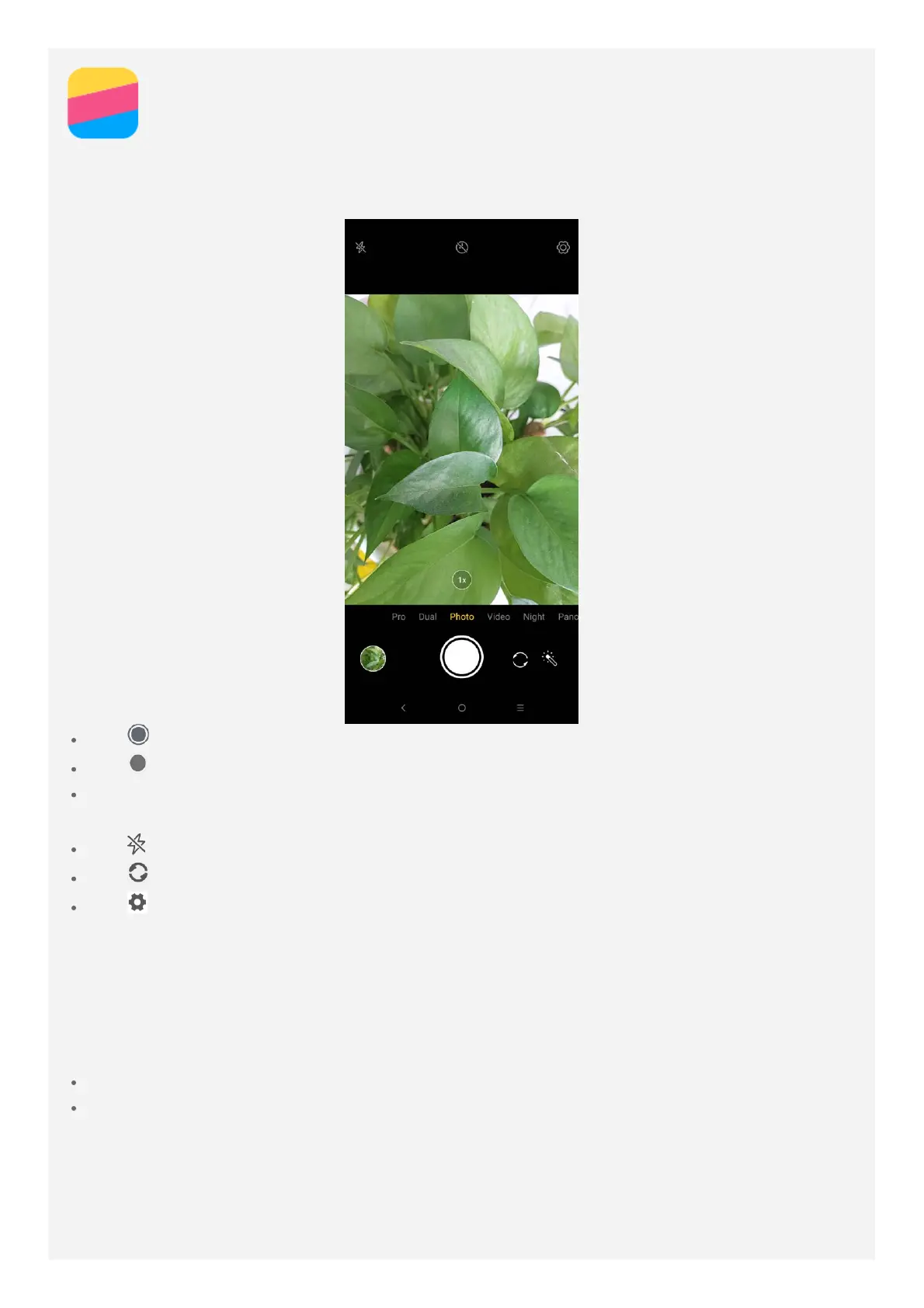
You can use the Camera app to take photos and record videos.
Tap to take a pthoto in Photo mode.
Tap to record a video in Video mode.
Tap the photo or video thumbnail to view the photo or video in the Gallery app. For more
information, see Gallery.
Tap to switch between flash modes.
Tap to switch between the front-facing camera and the rear-facing camera.
Tap to configure the other camera settings.
Taking a screenshot
Press and hold the Power button and the volume down button at the same time to take a
screenshot.
By default, the screenshots are stored in your phone's internal storage. To view the
screenshots, do one of the following:
Open the Gallery app and find the Screenshot album.
Open the Files Go app and go to the Images > Screenshots folder.



 To Next Page