Back
Next
Menu More
Play Music
Quick start: music
Music everywhere – stream it, buy it, save it, play it. Listen
and create playlists any time.
Find it: swipe up
> Play Music
To upload your music library to Google Play Music, from a
computer, visit www.google.com/music.
Tap Listen now to see recommendations and more.
!
"#
$"
%&
%&
6IGIRXP]TPE]IH
'#()
*
6IGIRXP]TPE]IH
%&
%&
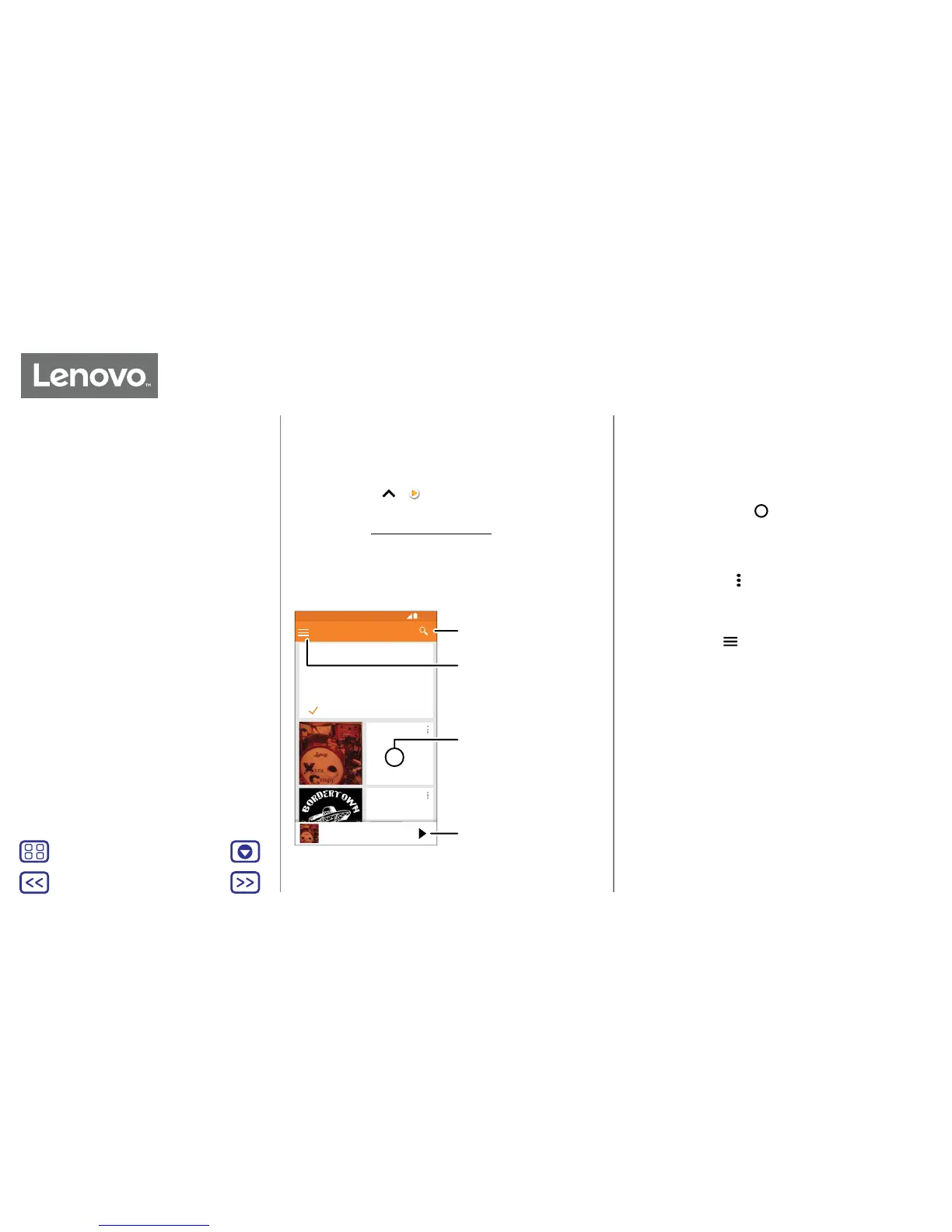
Tap to play the song,
or swipe left or right to
see others in your queue.
Tap an album to see more
info.
Search for and download
music.
Go to your music library
or playlists.
Tips and tricks
• Control your music: press the Music Key.
• Volume: press the volume buttons.
• Hide the music player: to use another app while your
music plays, tap Home
. To return to the music player,
swipe the status bar down and tap the song title.
• Home screen widget: control music playback from the
Home screen by adding the Google Play Music widget.
• Playlists: tap Menu
next to a song in your library to add
it to a playlist or show more options. To edit, rename or
delete a playlist, touch and hold its name in your library.
• Download your music library for oine listening: to
listen oine, tap
, then tap Downloaded only to avoid
using data to stream your music library.
• During a flight: aeroplane mode lets you listen to your
oine music and disconnects all connections. Swipe
down the status bar with two fingers and tap Aeroplane
mode to turn it on.
• File types: your phone can play MP3, AAC, AAC+ and
MIDI files.
Quick start: music
Music Key
Play Music
when life needs a soundtrack


 To Next Page