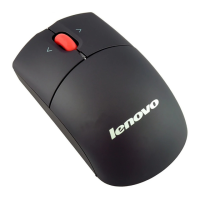
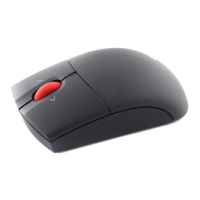
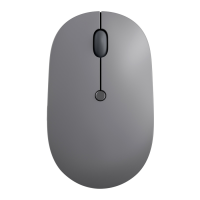
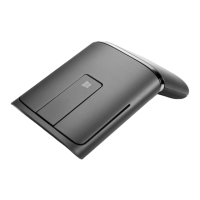
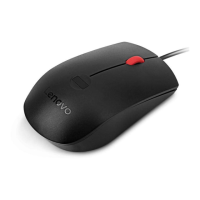
The Lenovo Precision Wireless Mouse is an optical wireless mouse designed to enhance user productivity through various functions and features, including vertical and horizontal scrolling. It connects to a computer via a Universal Serial Bus (USB) connector and is supported on Microsoft Windows XP (32-bit), Windows Vista (32-bit or 64-bit), and Windows 7 (32-bit or 64-bit) operating systems. The mouse model is MORFFGOO, and its accompanying dongle model is MORFFHL-D.
Function Description:
The primary function of the Lenovo Precision Wireless Mouse is to provide precise cursor control and navigation on a computer screen. It features an optical sensor for accurate tracking and a tilt wheel that enables both vertical and horizontal scrolling. This tilt wheel functionality is particularly useful for navigating wide documents or spreadsheets without needing to use scroll bars. The mouse is designed to be plug-and-play, with the Windows operating system automatically installing the necessary device drivers upon connection to an available USB port.
For enhanced functionality and customization, the mouse is accompanied by the Lenovo Mouse Suite software. This software allows users to assign frequently used functions or shortcuts to the mouse buttons, further increasing productivity. It also provides options for adjusting advanced settings, such as mouse resolution (DPI).
The ThinkPad Wireless Optical Mouse, a variant mentioned in the manual, also features a tilt wheel for vertical and horizontal scrolling and connects to the operating system using wireless technology. This model requires two AA batteries for operation.
Important Technical Specifications:
- Mouse Model: MORFFGOO
- Dongle Model: MORFFHL-D
- Connectivity: Wireless, via USB dongle (Universal Serial Bus Interface)
- Optical Resolution (DPI):
- Lenovo USB Laser Mouse: 400 DPI to 2000 DPI (default 1600 DPI)
- ThinkPad USB Laser Mouse: 400 DPI to 1600 DPI (default 1200 DPI)
- Operating Systems Supported:
- Microsoft Windows XP (32-bit)
- Microsoft Windows Vista (32-bit or 64-bit)
- Microsoft Windows 7 (32-bit or 64-bit)
- Power Source (for ThinkPad Wireless Optical Mouse): Two AA batteries (alkaline batteries recommended for better performance).
- LED Indicators:
- Green LED: Indicates charged batteries and readiness for use.
- Flashing Amber/Red LED: Indicates low battery power.
Usage Features:
The Lenovo Precision Wireless Mouse offers several features to optimize user experience:
- Plug-and-Play Installation: Upon connecting the USB dongle, the Windows operating system automatically detects and installs the necessary drivers, making the mouse ready for immediate use.
- Lenovo Mouse Suite Software: This software is crucial for unlocking the full potential of the mouse. It enables:
- Horizontal Scrolling: Essential for navigating wide documents or web pages.
- Customizable Buttons: Users can assign frequently used functions or shortcuts to the mouse buttons.
- DPI Adjustment: The software allows users to change the mouse resolution (DPI) to suit their preferences, ranging from 400 DPI to 2000 DPI for the Lenovo USB Laser Mouse and 400 DPI to 1600 DPI for the ThinkPad USB Laser Mouse. This adjustment is performed through the "Resolution Adjustment Setup" area in the Advanced Properties of the Mouse Properties window.
- Scrolling Speed Adjustment: The horizontal scrolling speed can be customized via the Wheel tab in the Advanced Properties window of the Lenovo Mouse Suite.
- Battery Management (for ThinkPad Wireless Optical Mouse):
- Easy battery installation by pressing the release button, inserting two AA batteries according to polarity indicators, and sliding the cover back into place.
- LED indicators provide visual cues for battery status (green for charged, flashing amber/red for low battery).
- A power switch allows users to turn off the mouse when not in use, extending battery life.
- Troubleshooting Support: The manual provides solutions for common issues such as the mouse not being recognized by the operating system or the mouse pointer not moving. These solutions include reinstalling the mouse, checking BIOS settings for enabled USB connectors, reinstalling the Lenovo Mouse Suite software, cleaning the mouse lens, and using a mouse pad on highly reflective surfaces.
Maintenance Features:
Maintaining the Lenovo Precision Wireless Mouse is straightforward, focusing on cleanliness and proper battery management to ensure longevity and optimal performance:
- Cleaning:
- Always disconnect the mouse before cleaning.
- Clean the mouse lens with a soft cotton swab.
- Avoid using any liquids or solvents to clean the mouse lens, as this can cause damage.
- Keep beverages away from the mouse's working area to prevent spills.
- Battery Care (for ThinkPad Wireless Optical Mouse):
- Use alkaline batteries for better performance.
- Replace batteries when the flashing amber/red LED indicates a low power level.
- Turn off the mouse using the power switch when not in use to conserve battery life.
- CAUTION: There is a risk of explosion if batteries are replaced with an incorrect type. Dispose of used batteries according to instructions.
- No User Serviceable Parts: The mouse is not designed for user repair, meaning there are no internal components that can be serviced by the user. This emphasizes the importance of proper handling and care to prevent damage.
- Surface Considerations: For optimal tracking, it is recommended to use a mouse pad, especially if the mouse is being used on highly reflective surfaces like glass or mirrors, which can interfere with optical tracking.
The manual also includes important safety information, warranty details, and certification indexes for various regions (USA, Canada, EU, China), ensuring compliance with regulatory standards.

 Need help?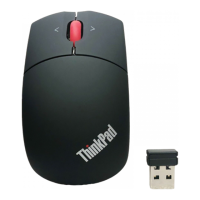


 To Next Page
 General