3
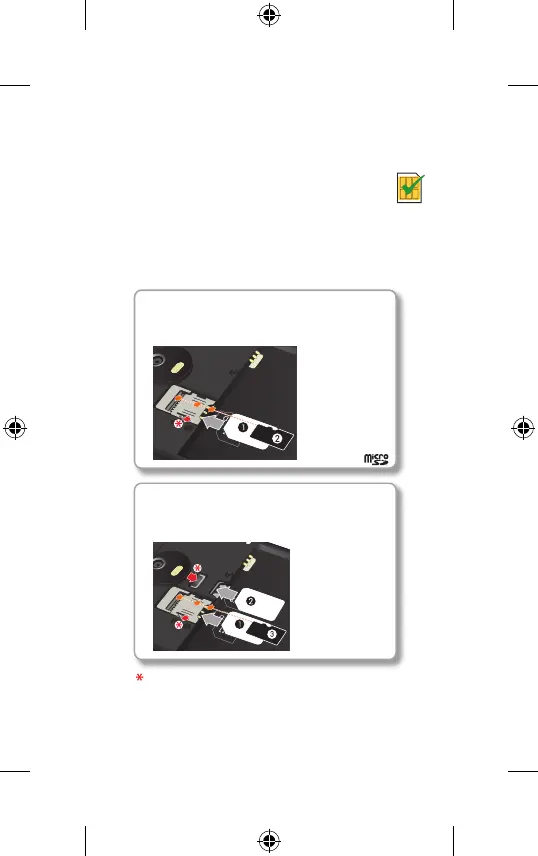
One SIM card
If your phone uses one SIM card, insert the SIM card
first, then insert the optional microSD card.
Two SIM cards
If your phone uses two SIM cards, insert the SIMs
first, then insert the optional microSD card.
1. SIM 1
2. SIM 2
3. microSD
(optional)
(optional)
2. microSD
1. SIM
Note: to remove SIM 1, slide the lever on the slot. To
remove SIM 2, push it from the other side of the slot.
Put in the cards
Your phone might support using two SIM cards.
Caution: make sure you use the correct
size SIM cards and don't cut the SIM
cards. Don't use tools to remove the
battery – doing so may damage your
battery or your phone.
Moto E4_GSG_Ukraine Country Group_en-GB uk ru ro ka_73110100252B.indb 32017-04-07 16:37:09







 To Next Page