5
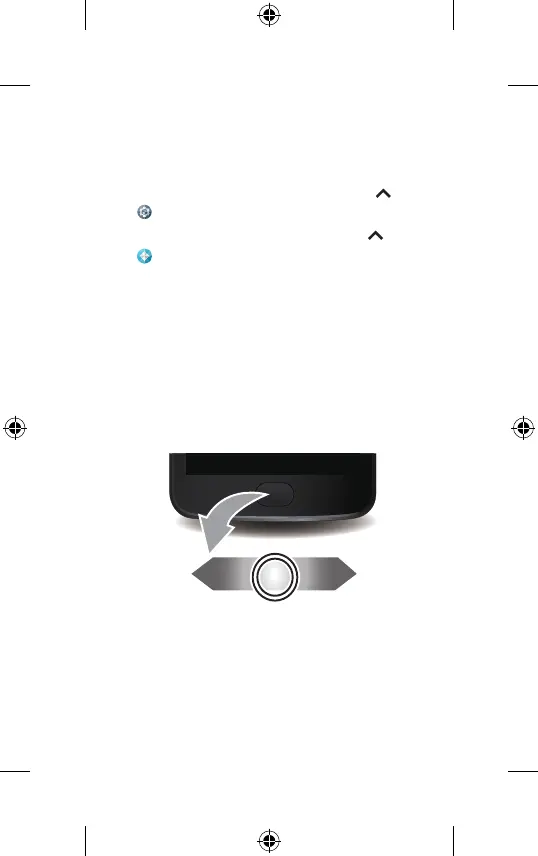
Swipe left.
Swipe right.
Press or press & hold.
Control with one touch
Lock, unlock and navigate your phone and make
mobile purchases with just one touch.
• To find lock/unlock settings, swipe up >
Settings > Security > Fingerprint.
• To find navigation settings, swipe up >
Moto> Actions > One button nav.
Note: authorising in-store purchases is not
available in all areas (NFC and a mobile payment
app are both required).
Moto E4_GSG_Ukraine Country Group_en-GB uk ru ro ka_73110100252B.indb 52017-04-07 16:37:11




 To Next Page