Need help?
Do you have a question about the Lenovo S650 and is the answer not in the manual?
Provides details on model, system, size, weight, CPU, capacity, and battery.
Details camera, display, wireless communication, and GPS capabilities.
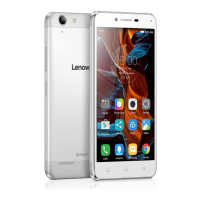
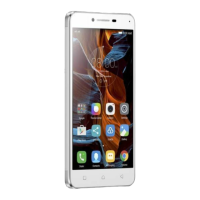
Identifies key external components of the Lenovo S650 phone.
Details buttons, microphone, USB, and earphone jack locations.
Instructions for inserting SIM cards, memory card, and battery.
Details how to charge the battery using a power outlet or computer.
Information on where to find more details and support.
Trademarks, copyright, and edition details of the guide.
 General
| Pixel density | 234 ppi |
|---|---|
| Display diagonal | 4.7 \ |
| Touch technology | Multi-touch |
| Touchscreen type | Capacitive |
| Display resolution | 960 x 540 pixels |
| Processor cores | 4 |
| Processor model | MTK6582 |
| Processor family | MediaTek |
| Processor frequency | 1.3 GHz |
| RAM capacity | 1 GB |
| Compatible memory cards | MicroSD (TransFlash) |
| Maximum memory card size | 32 GB |
| Internal storage capacity | 8 GB |
| Front camera type | Single camera |
| Rear camera resolution (numeric) | 8 MP |
| Front camera resolution (numeric) | 0.3 MP |
| 2G standards | GSM |
| 3G standards | HSPA+ |
| SIM card type | MicroSIM |
| Wi-Fi standards | 802.11a, 802.11b, 802.11g |
| Bluetooth version | 3.0+HS |
| SIM card capability | Dual SIM |
| Mobile network generation | 3G |
| USB connector type | Micro-USB |
| HDMI ports quantity | 0 |
| Headphone connectivity | 3.5 mm |
| Form factor | Bar |
| Product color | White |
| Platform | Android |
| App distribution platform | Google Play |
| Operating system installed | Android 4.2 |
| Subscription type | No subscription |
| GPS (satellite) | No |
| FM radio | - |
| Talk time (2G) | 12 h |
| Talk time (3G) | 8 h |
| Battery capacity | 2000 mAh |
| Standby time (3G) | 336 h |
| Specific absorption rate (SAR) value (EU) | - W/kg |
 Weight and Dimensions
| Depth | 8.89 mm |
|---|---|
| Width | 70 mm |
| Height | 137.9 mm |
| Weight | 127 g |

 To Next Page