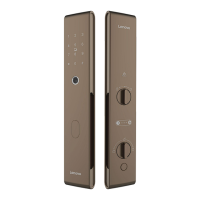
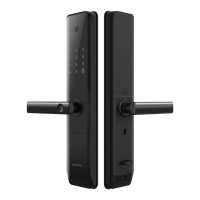
The Lenovo X3 Smart Lock is a sophisticated security device designed for modern homes, offering multiple unlocking methods and advanced management features.
Function Description
The Lenovo X3 Smart Lock serves as a primary access control system for doors, integrating various biometric and traditional unlocking mechanisms. It allows for the addition and deletion of administrative and common users, each with different access privileges. The lock supports multiple unlocking methods including PIN code, fingerprint, RFID tag, and mechanical key. It also features internal unlocking via handle or button, and an automatic locking mechanism. For enhanced security, the device includes a two-factor authentication setting and various alarm functions such as anti-pry alarm. The smart lock can be integrated with a mobile application for networking configuration and remote management.
Important Technical Specifications
The manual does not explicitly list detailed technical specifications such as dimensions, weight, battery type, or material. However, it implies certain features:
- Password Length: 6-8 digits for administrator passwords, and up to 32 digits for dummy passwords.
- Fingerprint Recognition: Requires 4-5 continuous records for a single fingerprint.
- RFID Card: Induction card for proximity unlocking.
- Power Supply: Emergency power supply via Micro USB (5V1A) when the internal battery is depleted.
- Connectivity: Supports networking configuration, likely via Wi-Fi, for integration with the "Smart Lenovo" APP.
- Delay Locking Time: Configurable options including Off, 10s, 20s, 30s, 60s, and 120s.
- Torque Setting: Medium.
- Back Lock Time: 3 seconds.
Usage Features
The Lenovo X3 Smart Lock offers a user-friendly interface with voice prompts to guide users through various operations.
Unlocking Methods:
- PIN Code Unlock: Wake up the panel, enter the password, and press [#] to open the lock after verification.
- Fingerprint Unlock: Press the finger on the fingerprint sensor area. The lock opens after successful verification.
- RFID Tag Unlock: Place the induction card near the antenna receiving area for proximity unlocking.
- Handle Unlock (Internal): Turn the handle to the left from inside the door.
- Button Unlock (Internal): Press the button to unlock the door from inside.
- Mechanical Key Unlock (Emergency): Insert the mechanical key into the port under the handle and turn it, then press down the handle.
- Micro USB Power Supply (Emergency): Connect an external rechargeable battery or 5V1A power supply via the Micro USB port to power the lock and open it using normal operation steps when the battery is dead.
Locking Methods:
- Handle Lock (Internal): Turn the handle to the right from inside the door.
- Double Lock (Internal): Turn the rotary knob to prevent unlocking from the outdoor side.
- Lock Button: Press the lock button to lock the door.
- Automatically Lock: The door automatically locks when the closing sensing tongue is pressed, and the main tongue is released.
User Management:
- Adding Users: Administrators can add other administrators or common users. For common users, fingerprints, passwords, and RFID cards can be added.
- Deleting Users: Users can be deleted by verifying the user (fingerprint, password, or RFID card) or by entering a three-digit user number. The current administrator cannot be deleted to ensure system integrity.
System Settings:
- Time Setting: Adjust the device's internal clock.
- Installation Settings: Configure specific parameters related to the lock's installation.
- Function Setting: Access various operational settings.
- Restore Factory Settings: Reset the lock to its default state, clearing all user data. This action requires confirmation and restarts the system.
- Networking Configuration: Connect the lock to Wi-Fi via the "Smart Lenovo" APP for remote management.
- Two-factor Authentication Setting: Enable or disable two-factor authentication for common users. At least two common users must exist to enable this feature. Administrative and temporary users do not require two-factor authentication.
Maintenance Features
- Factory Data Reset: Allows for a complete reset of the device, clearing all user data and restoring default settings. This is a critical maintenance feature for troubleshooting or reconfiguring the lock.
- Emergency Power Supply: The Micro USB port provides a crucial backup power option, ensuring access even if the primary batteries fail.
- Mechanical Key Backup: A traditional mechanical key serves as a failsafe for unlocking in case of electronic system failures or forgotten credentials.
- Voice Prompts: The system provides clear voice prompts for all operations, guiding users and administrators, which aids in troubleshooting and correct usage.
- Unlocking Record: The ability to read unlocking records helps in monitoring access and security.

 Need help?
 General

 To Next Page